Stratum Track Reports

Your own Word or Excel report, filled in from the job.

Stratum Track fills in the Word or Excel report your workshop or inspection team already issues, from what was recorded on the job. We keep your layout, logo and wording as they are, and it stays your controlled document.

Send us one report you issue today. We build it into a working job in Stratum Track and send it back within 24 hours, at no cost to you.
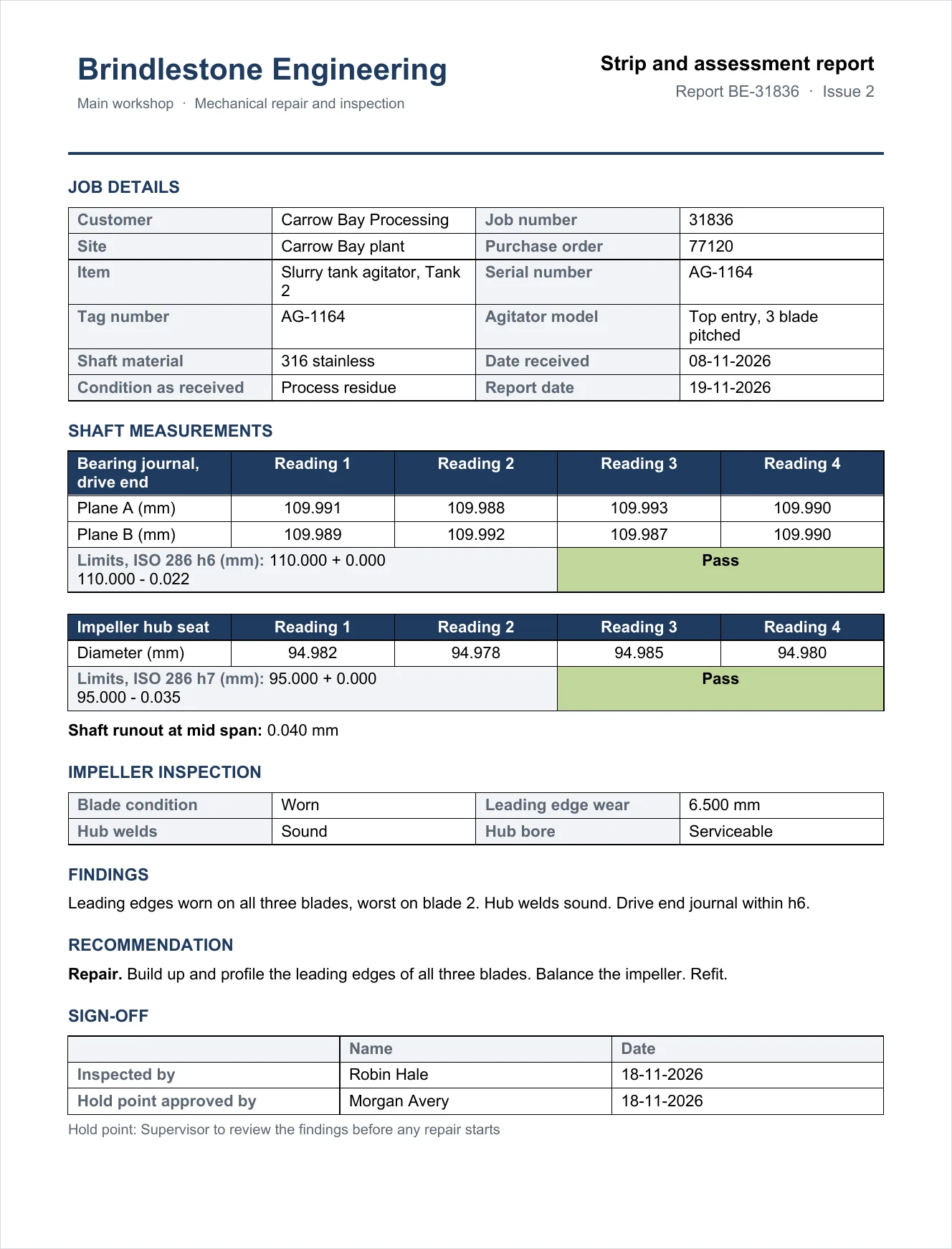
Page one of the client report for job 31836: job details, shaft readings with their ISO 286 limits and Pass, findings, recommendation and sign-off.

What Stratum Track does with your report

01

Your Word file as the report

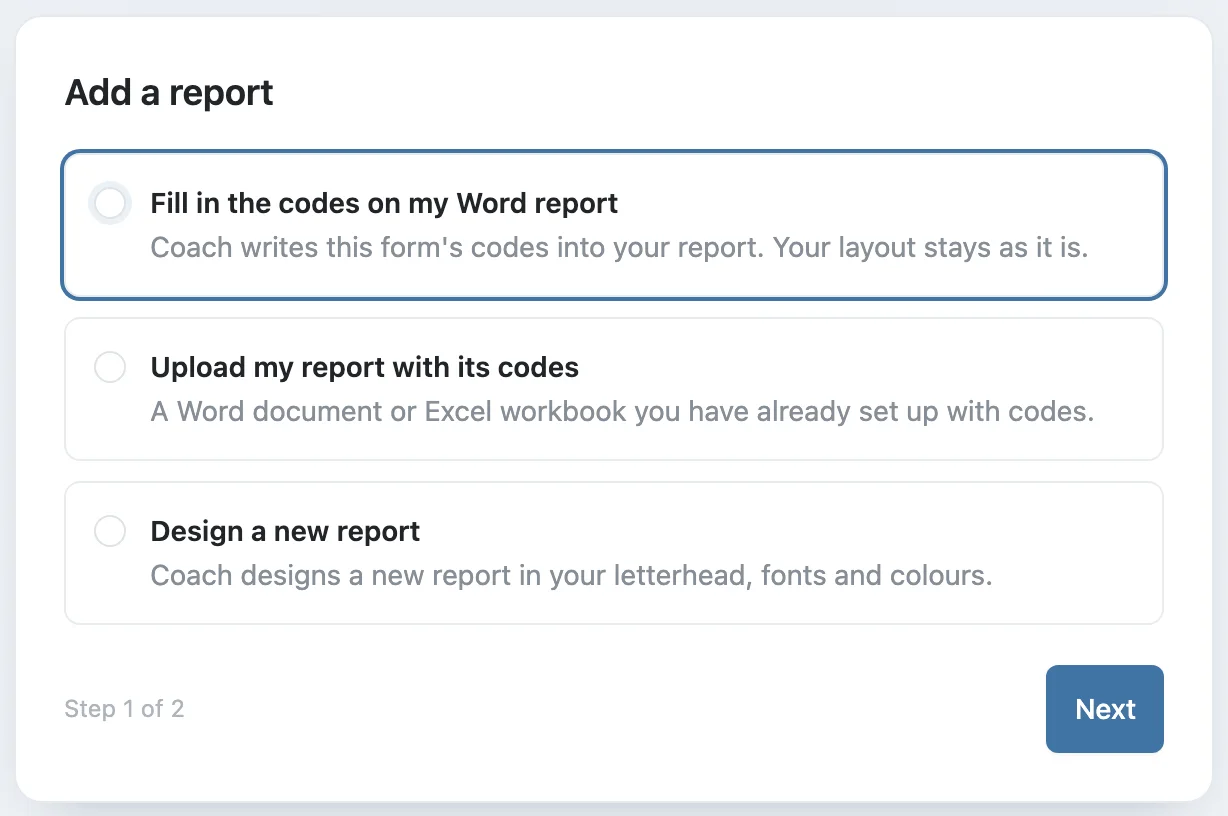
You give us your Word report and we mark where each answer goes. Stratum Track then fills it in from each job.

Add a report: Fill in the codes on my Word report, Upload my report with its codes, or Design a new report.
02

Issued reports kept on the job

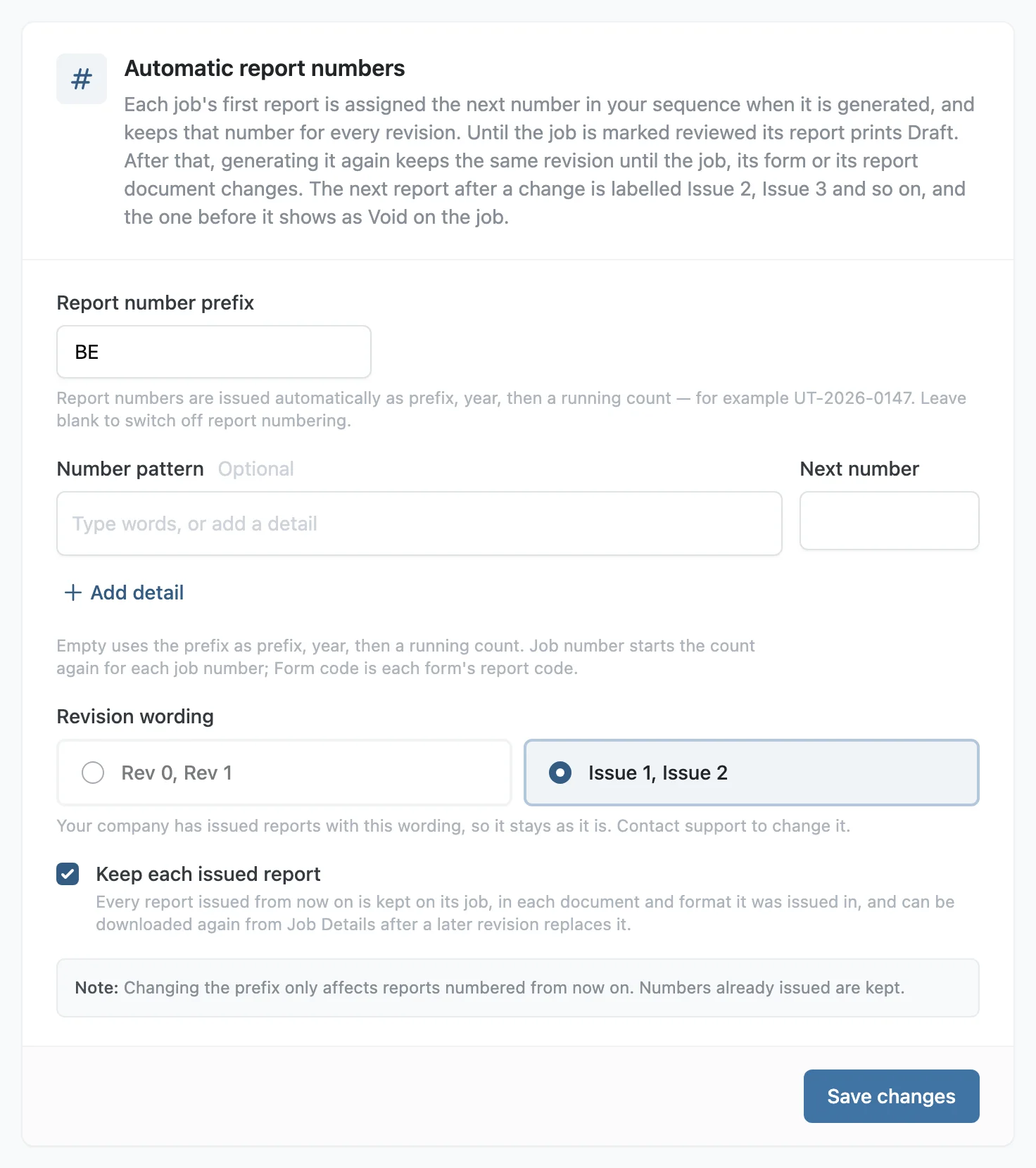
When you number your reports, you choose whether Stratum Track keeps each Word, PDF or Excel file you issue, and you can name each file by report number and revision. Then if an auditor asks for the report you sent last March, you download that file from the job.

03

Your client's Excel workbook

Where a client insists on their own spreadsheet, Stratum Track writes the job's answers into the cells of their workbook and keeps its formulas, dropdowns and macros.

04

Several reports from one job

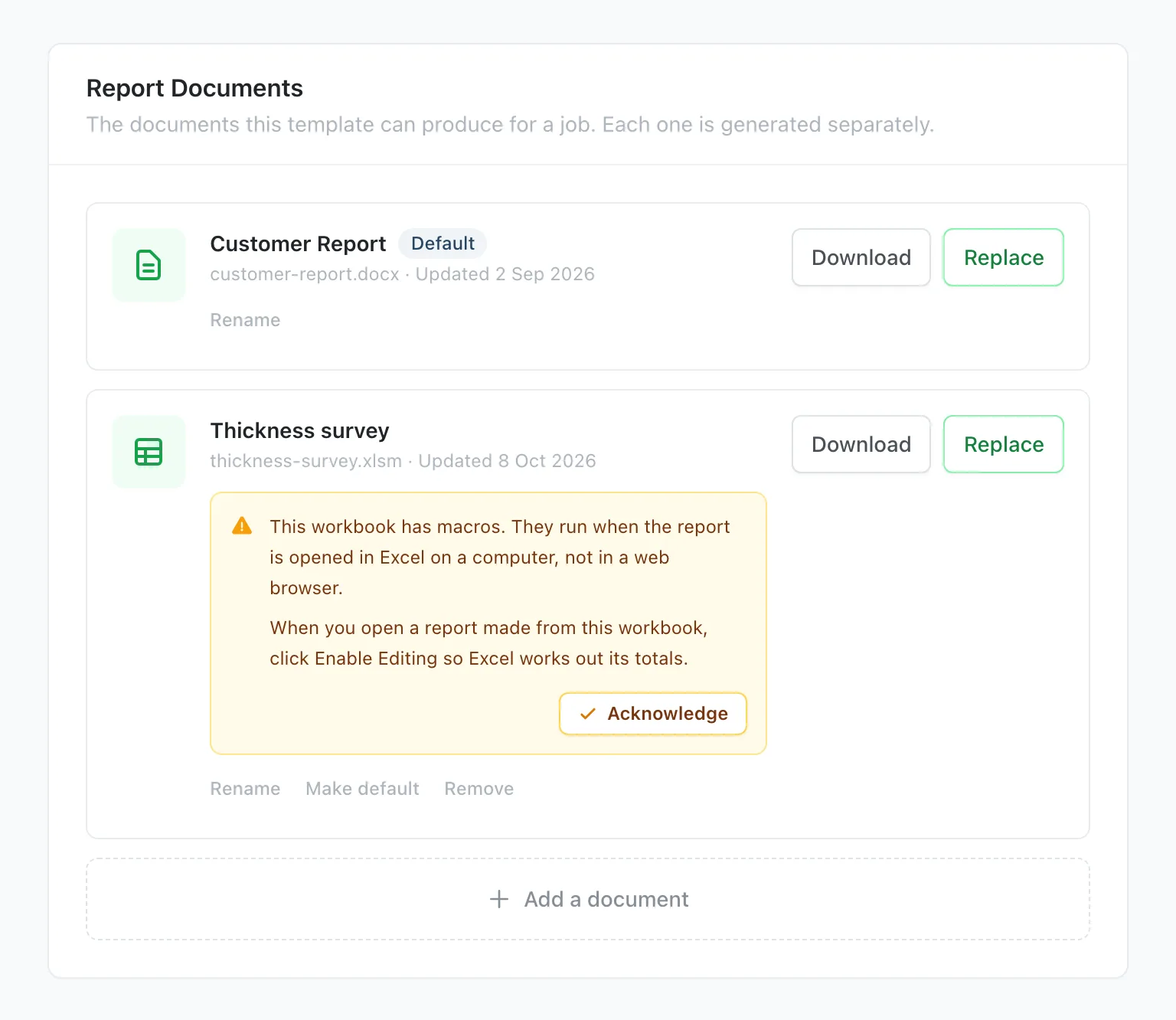
You attach all the reports you issue to one job template, such as your workshop's report, your client's report and a certificate for each item, and Stratum Track fills in all of them from the same job.

Report Documents on a job template: a Word customer report and an Excel thickness survey.
05

Report numbers and revisions

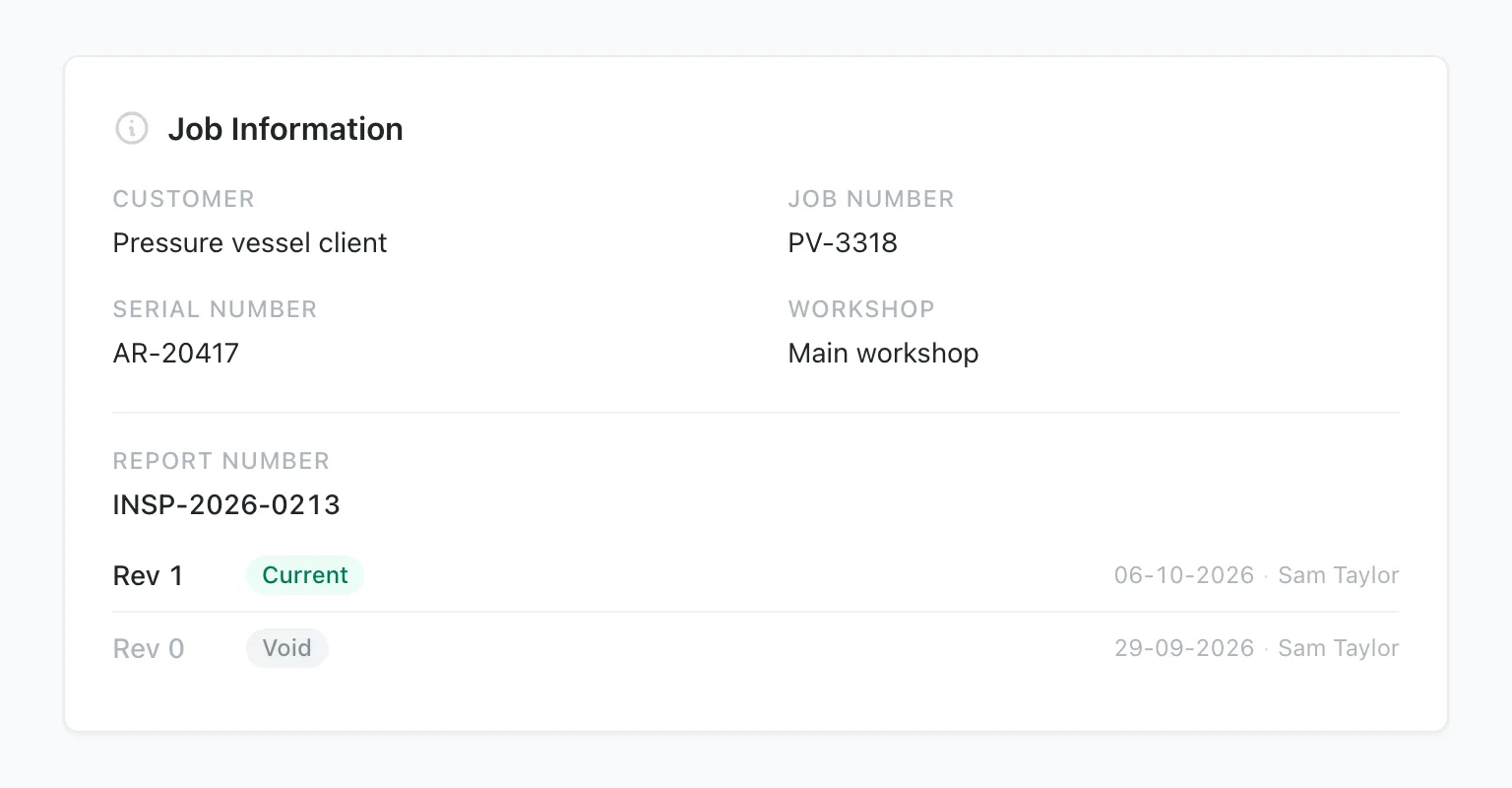
Stratum Track numbers each report to your pattern, with revisions as Rev 0, Rev 1 or Issue 1, Issue 2 to match your document control. Each report is marked Draft until the job is reviewed. Stratum Track raises a new revision only when something on the report changes, and lists every revision on the job.

Report Numbering: prefix BE, Issue 1, Issue 2 wording chosen, Keep each issued report ticked.
Job information with report number INSP-2026-0213: Rev 1 current and Rev 0 void, each with its date and who issued it.
06

A check before the report goes out

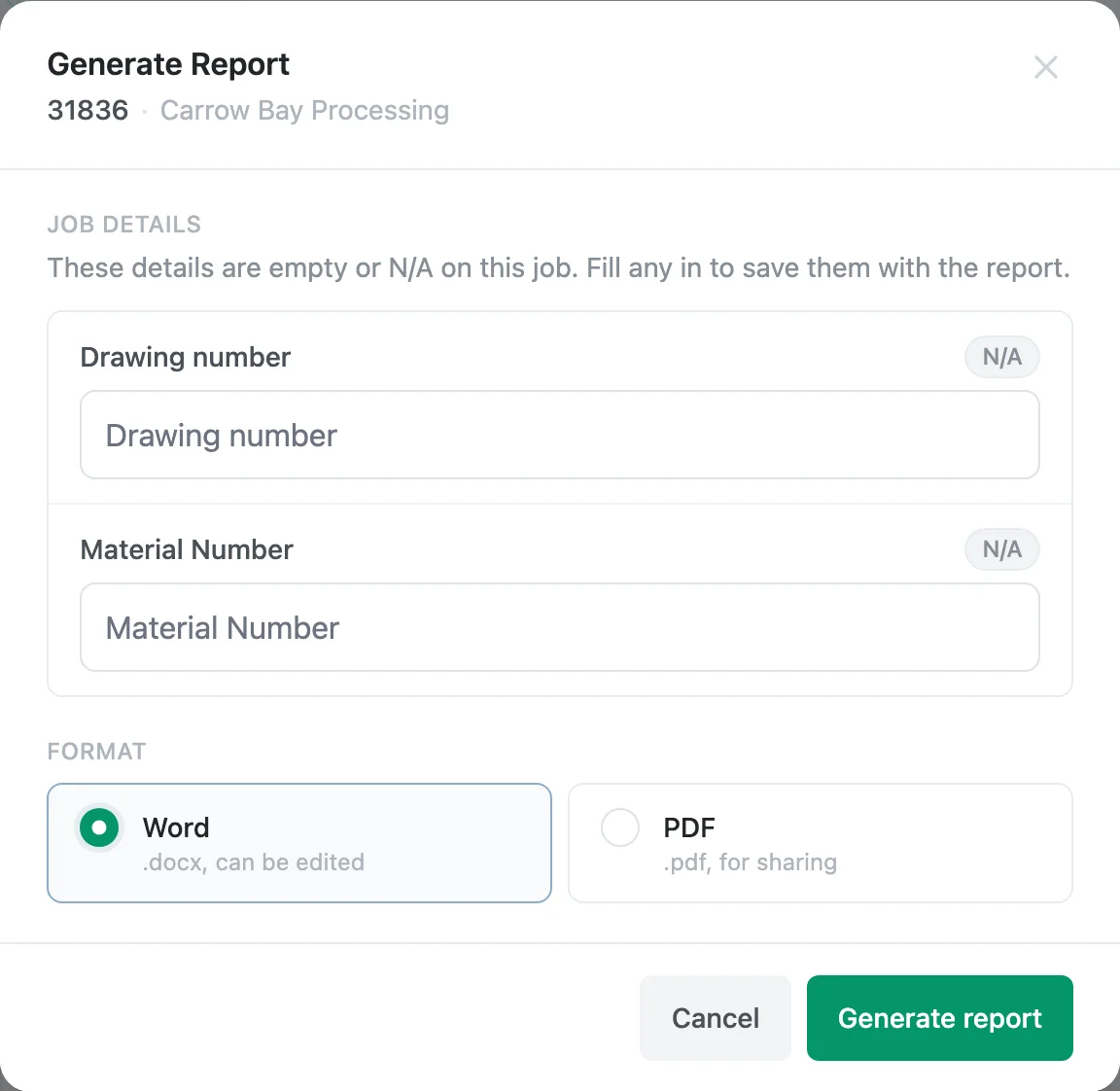
Before a report is built, Stratum Track lists any job details left empty or marked N/A, so you can fill in a blank order number first. Your report can also show the date the job was reviewed and the date the revision was issued.

Generate Report for job 31836: two job details still marked N/A, and the choice of Word or PDF.
07

Filing to SharePoint and OneDrive

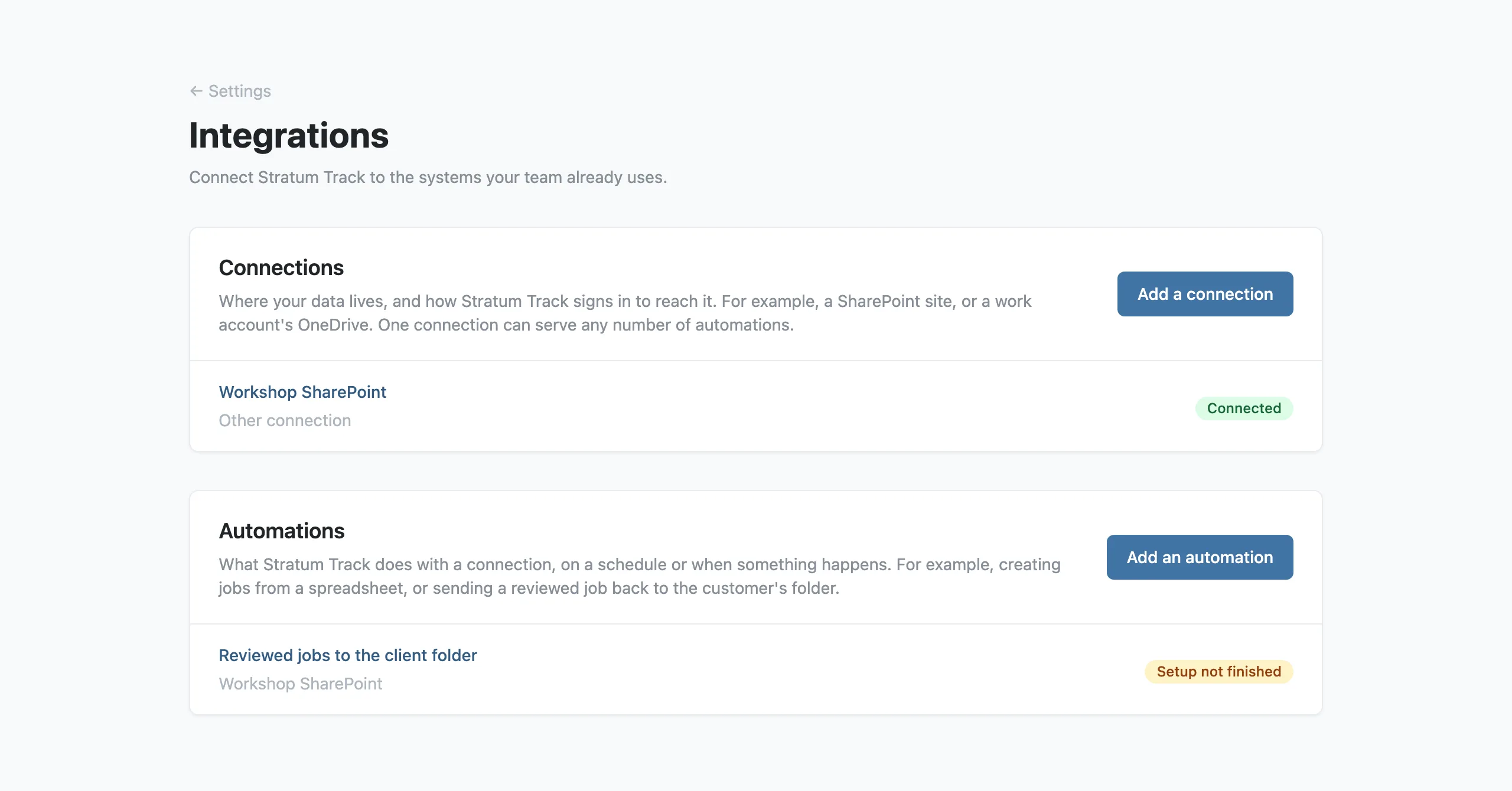
Stratum Track files a reviewed job's reports and photos into your own SharePoint or OneDrive folders. We switch on the Microsoft 365 connection for your company when you ask.

The Integrations page under Settings, with the Microsoft 365 connection.
Integrations

Common questions

Does this change anything about our accreditation?

No. It is your report, your accreditation and your controlled document. Stratum Track fills it in from the job and certifies nothing.

Can we change our report layout later?

Yes. You upload a new version of your Word file, or you ask us to.

Who do we talk to if a report comes out wrong?

Us. We build and support Stratum Track from Perth. Call us on (08) 6370 4958.

Send us a report

Send us one report you issue today. We build it into a working job in Stratum Track and send it back within 24 hours, at no cost to you.
  • ✓ The first job, built from your own report
  • ✓ Your client's report from that job, in your format
  • ✓ A straight answer on whether it's the right fit

If your report has client details on it, redact them or send a blank template. The layout is all we need. If you would like us to sign an NDA first, say so in the message.

We use your report only to build your first job. We don't train models on it. How we handle your data. For files over 4 MB, email hello@stratumsoftware.io.

Also in Stratum Track QA & Inspection

Stratum Track puts your job sheets and inspection reports on the tablet. You set the hold points and tolerances, and Stratum Track builds your client's report in your own Word or Excel file.

See QA & Inspection →