Stratum Track Timesheets

Crew timesheets on the phone, ready for payroll.

Stratum Track lets your workshop and field crews clock on and off on their phones and record time against the job they're on. Your supervisors approve any hours that need a check, and your office exports a MYOB timesheet file or a payroll CSV.

Send us the timesheet your crew fills in today. A photo of a page is fine. We reply within one business day.
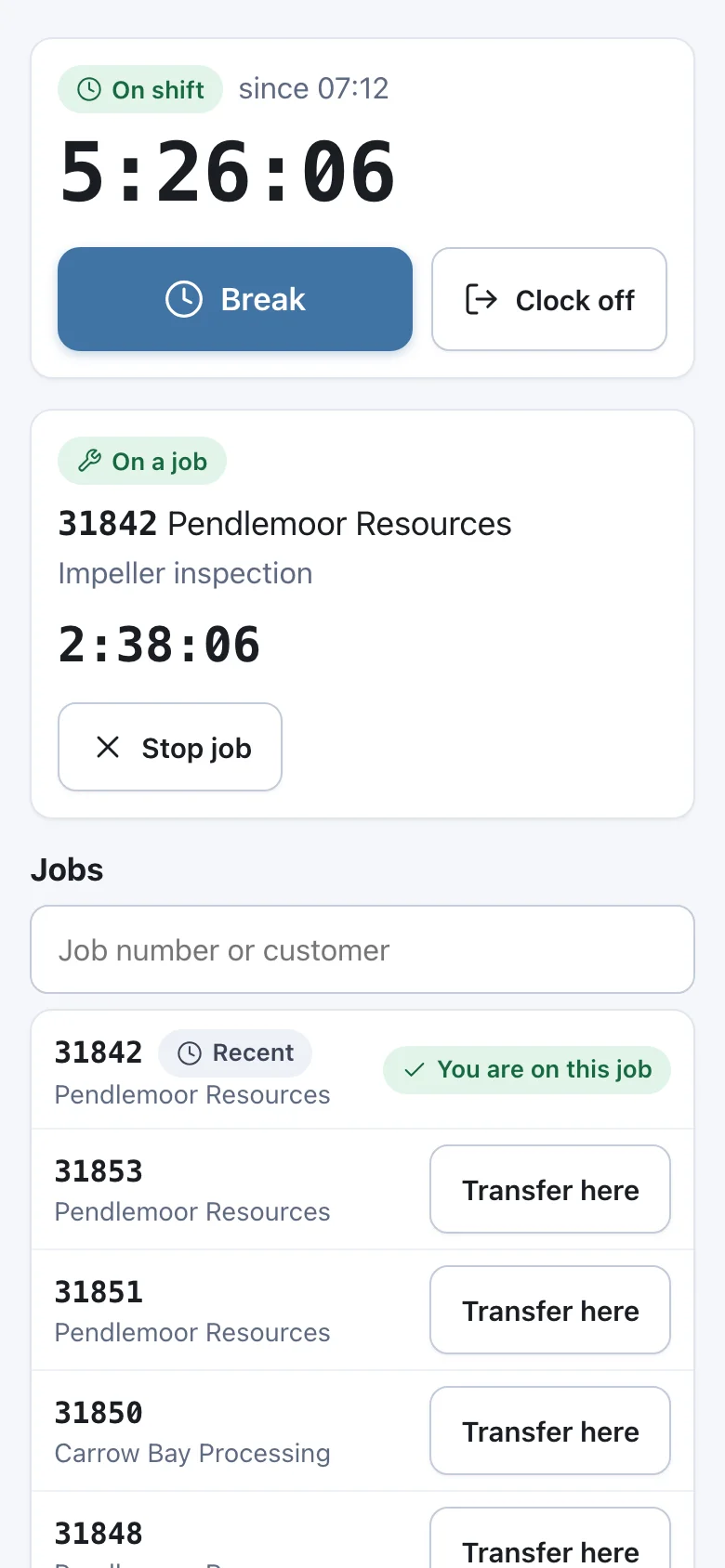
Timesheets on a phone: Jamie Fletcher on shift since 07:12 and on job 31842, with Break, Clock off, Stop job and a Transfer here button on each other job.

Clocking on and job time

Your crew clocks on with one tap and starts the job they're on. The job opens at the step they are up to, so your fitter records hours and inspection answers on the same job. Moving to the next job takes one more tap.

Each person sees their own paid hours for the week, and any hours still waiting for approval are shown on a separate line.

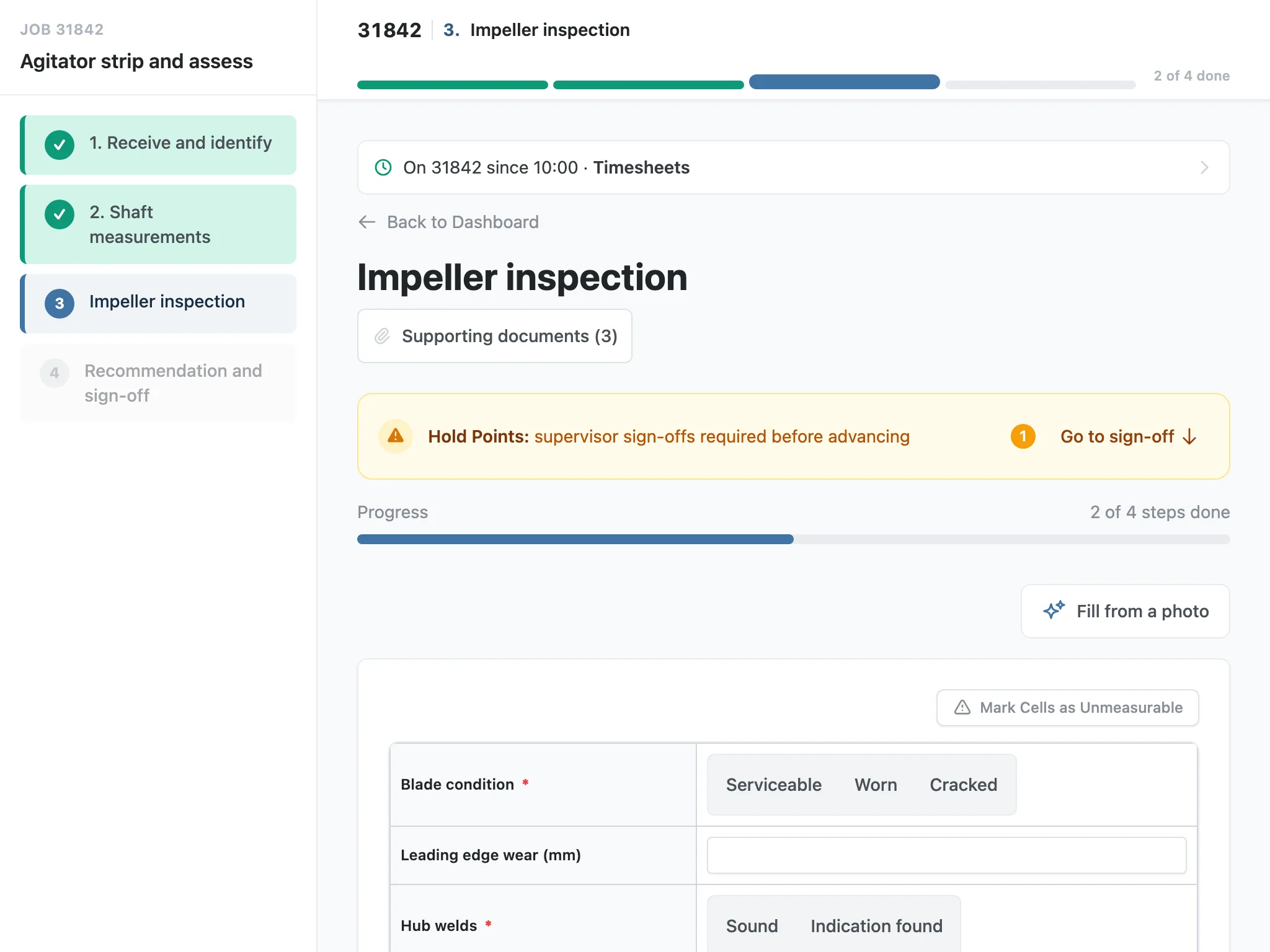
The job step form for job 31842 with the Timesheets bar above it: On 31842 since 10:00.

Approvals and the day sheet

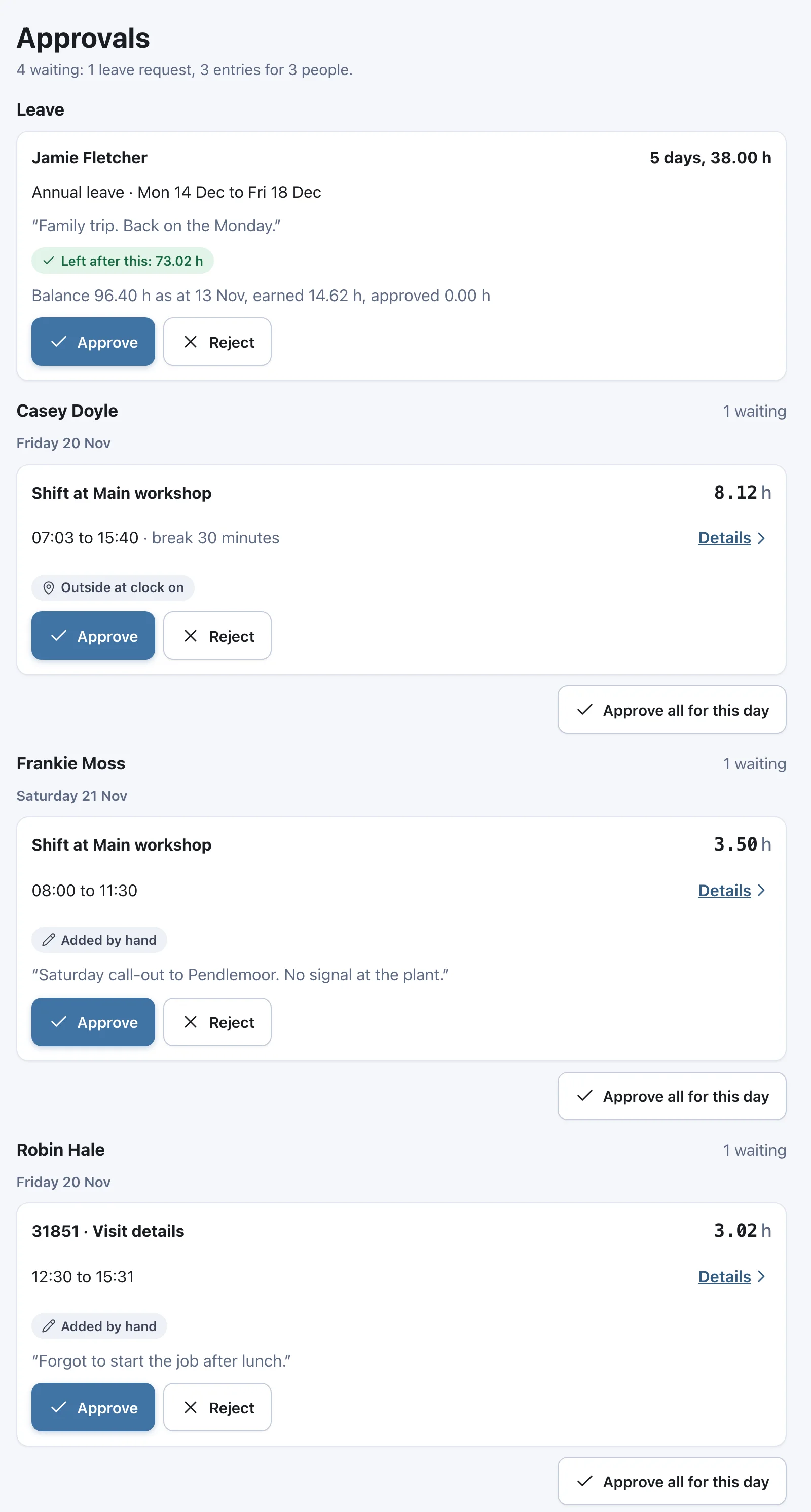
Your supervisors approve time added by hand and any shift Stratum Track flags for a check. The day sheet shows who was on, first on and last off, breaks, hours on jobs and hours not on a job, by person or by job, and Stratum Track can email it to you each morning.

Approvals: a leave request with the balance left after it, a shift flagged Outside at clock on, and two entries added by hand, each with Approve and Reject.

Payroll export

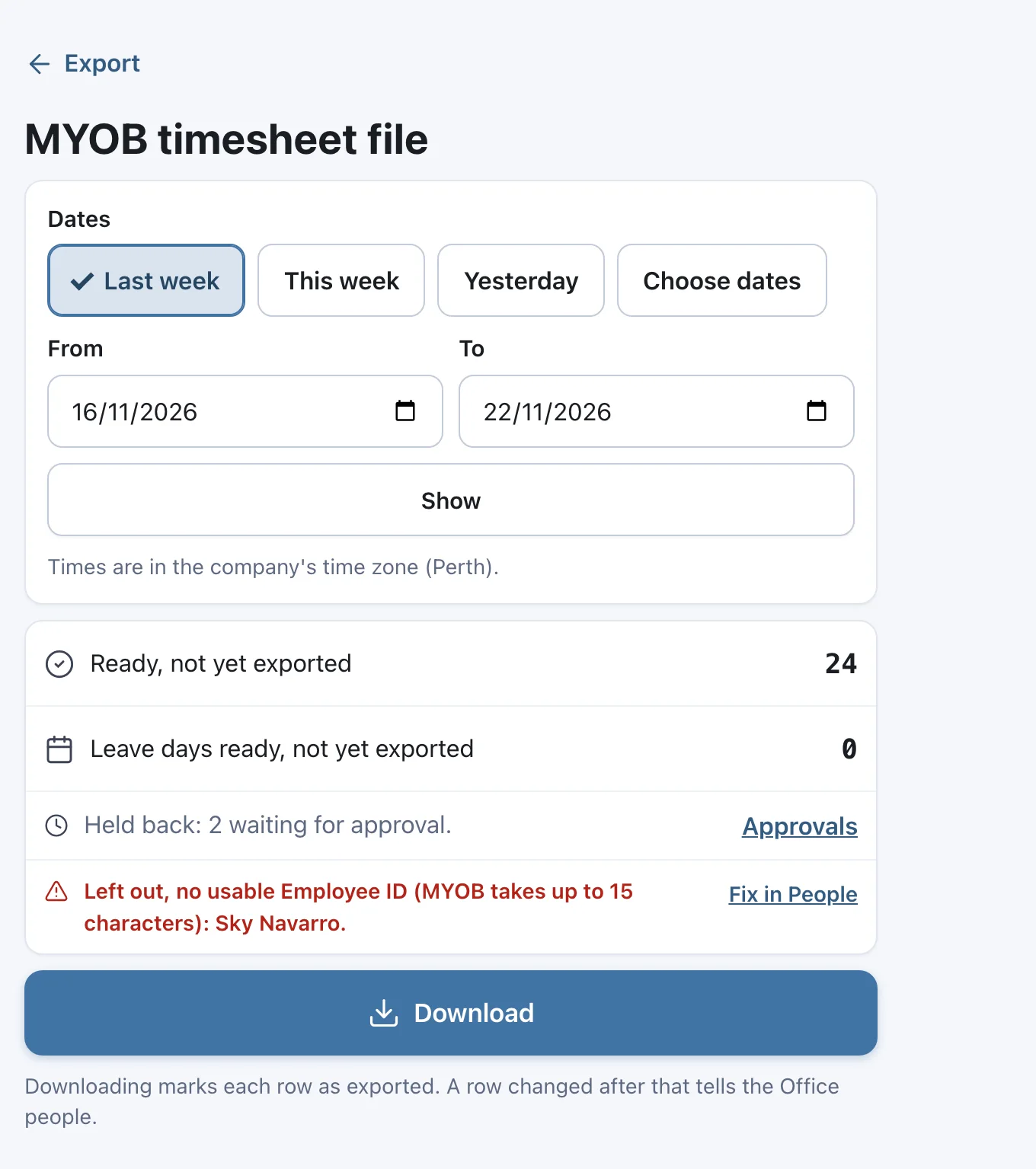
Your office picks the dates and downloads a MYOB timesheet file, a shift hours CSV for another payroll system, or a job hours CSV for your ERP. Hours still waiting for approval stay out of the file, and Stratum Track tells your office who was left out and why. If a shift changes after the export, your office is told.

MYOB timesheet file for last week: 24 shifts ready, 2 held back for approval, and one person left out with no Employee ID and a Fix in People link.

Leave

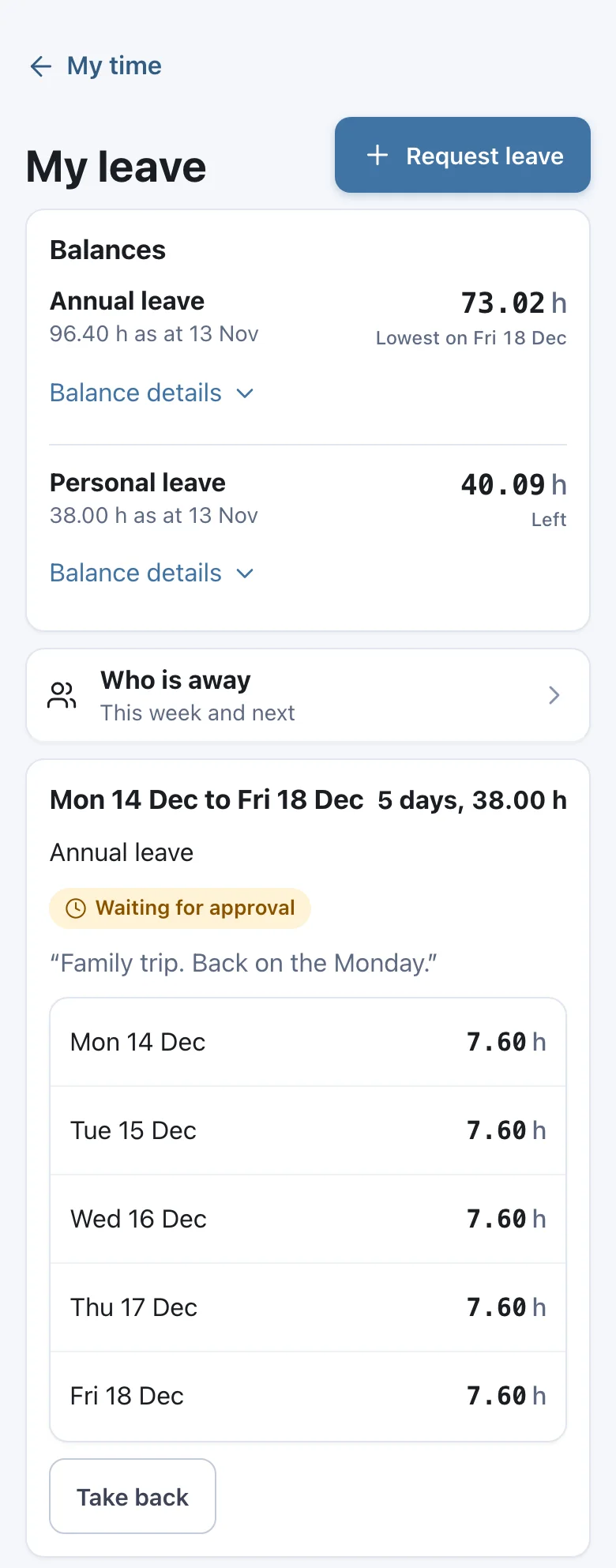
Your crew requests leave on their phone, and a supervisor or the office approves it. You name your leave types to match your payroll categories and keep each person's balance in hours, typed in or imported from a spreadsheet. For each leave type, you choose whether a request over the balance warns the approver or is blocked. Approved leave goes into the MYOB timesheet file.

My leave on a phone: annual and personal leave balances, and a five day annual leave request waiting for approval.
FAQ

Questions about Timesheets

Does it track where my crew is?

No. When someone clocks on, Stratum Track checks how far the phone is from your nearest clock-on site. It flags a reading that looks wrong, and the approver decides.

Does my crew need an email address?

No. They sign in with an employee number and a PIN, or scan your workshop's QR code.

Can my crew clock on with no signal?

Yes. The phone keeps the tap and sends it when signal returns, and shows how many taps are still waiting to send.

Does it connect to MYOB or Xero?

No. It exports files. Your office imports the MYOB timesheet file into MYOB, or the shift hours CSV into another payroll system.

Get started

Send us your timesheet

Attach the timesheet your crew fills in today. A photo of a page is fine. We reply within one business day, and we set up your people and your clock-on sites with you.

Stratum Track is built and supported from Perth. When you call (08) 6370 4958, the person who answers is the person who can fix the problem.

We use your file only to set up Stratum Track for you. We don't train models on it. How we handle your data. For files over 4 MB, email hello@stratumsoftware.io.

Part of Stratum Track Stratum Track overview

Inspection, maintenance, timesheets, projects and a schedule on one login.

See the Stratum Track overview →