The Stratum Track Client portal is for workshops and inspection providers. You publish the jobs, assets and reports you choose to each client, their people sign in from a browser, and you see every view and download.
Tell us which client you would start with. We reply within one business day.
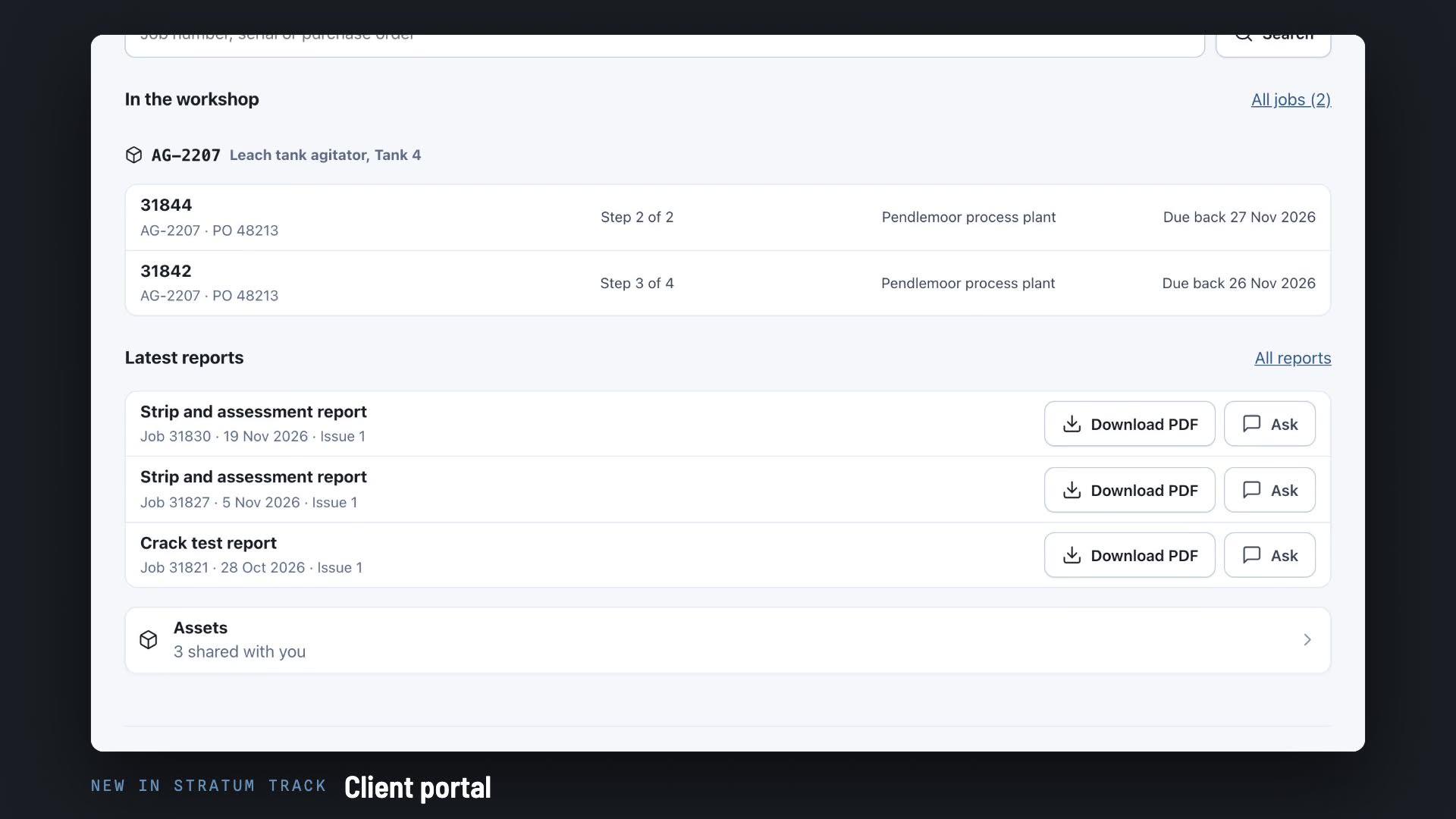
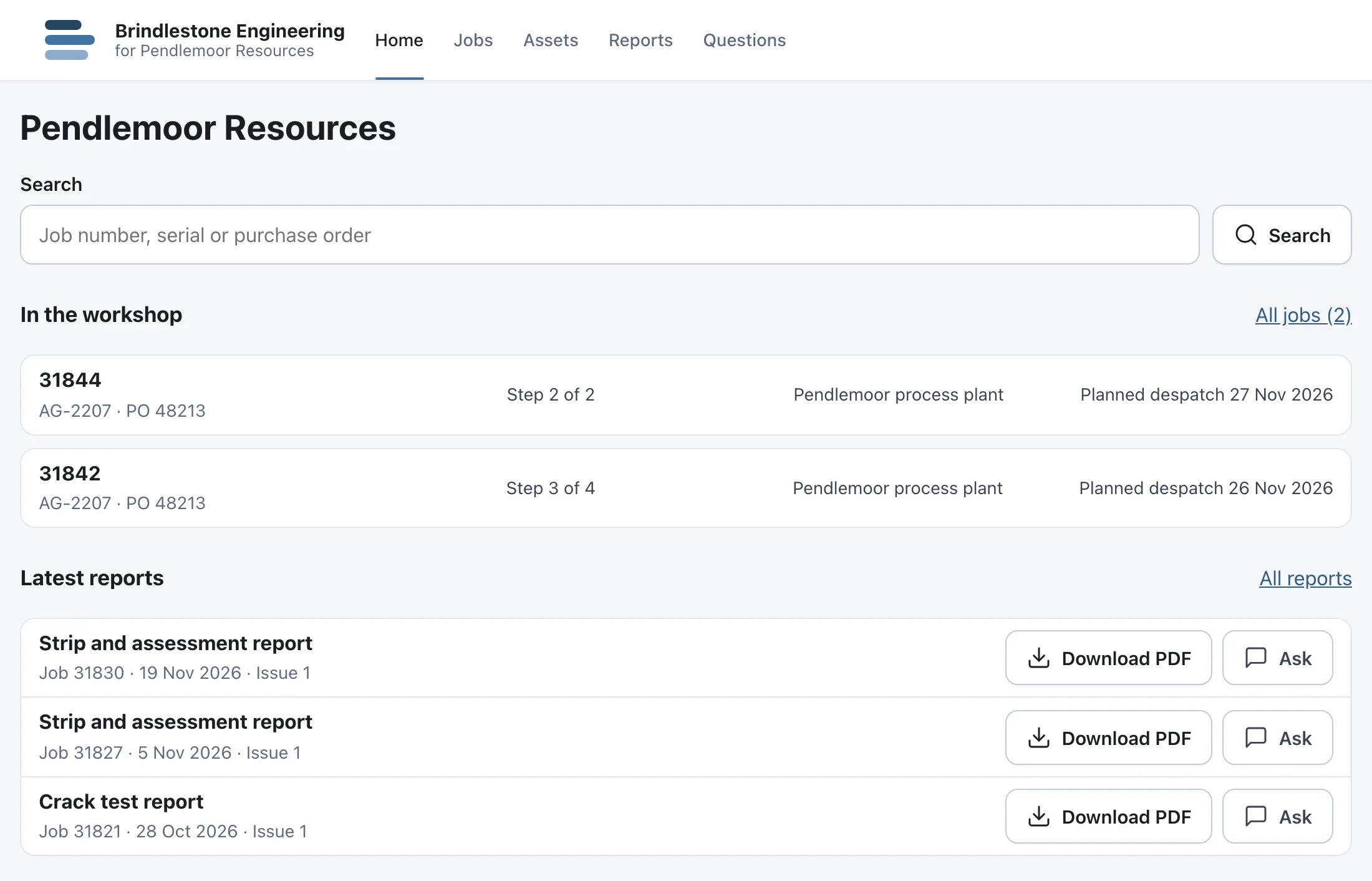
Your client signs in with a password or a sign-in link emailed to them, and sees their jobs, their assets and their reports. A job shows the steps done, the answers and photos included in your report, and the report itself.

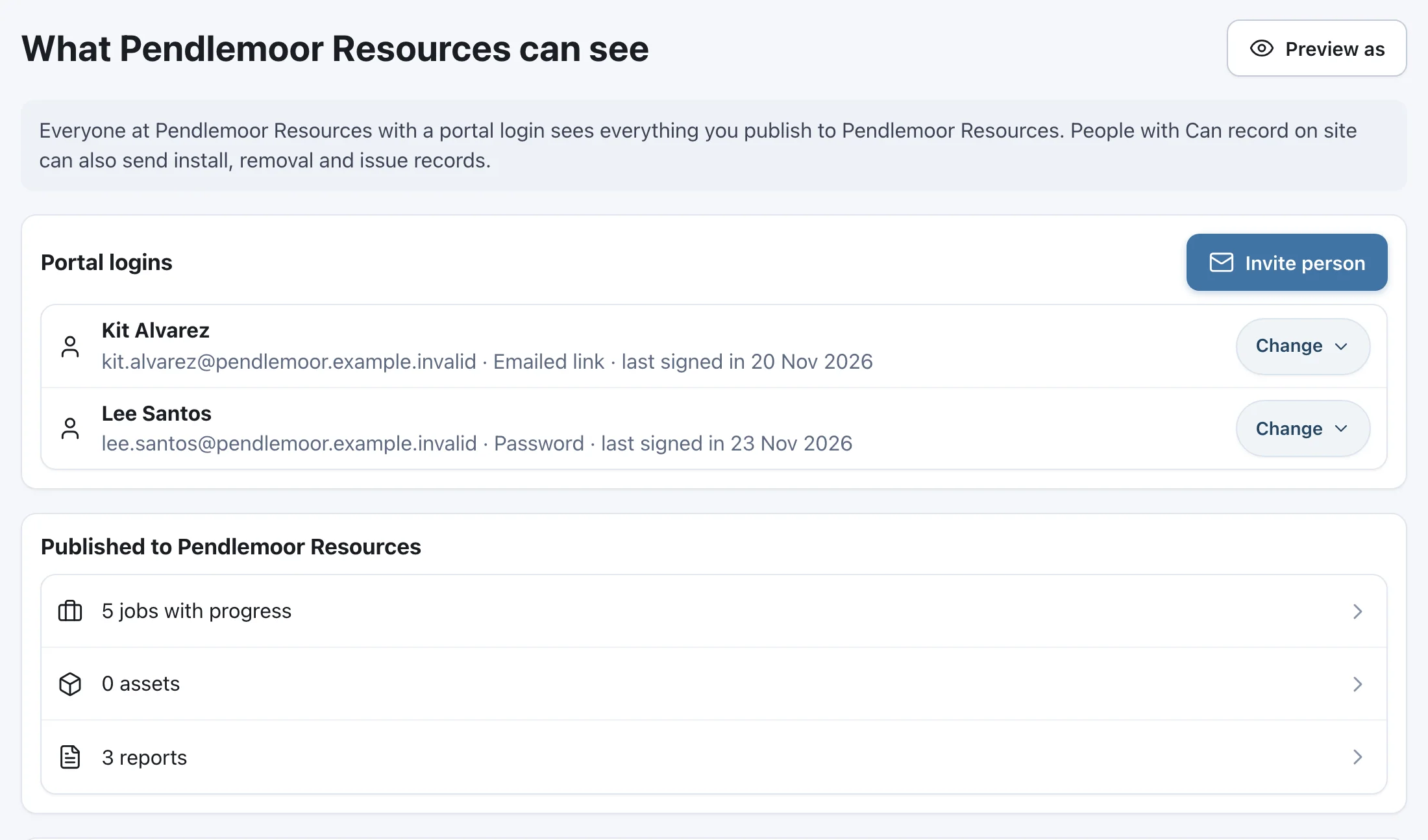
You choose what each client sees, job by job or asset by asset, and you can view the portal as that client before you publish. You invite each of your client's people and remove them when they leave.
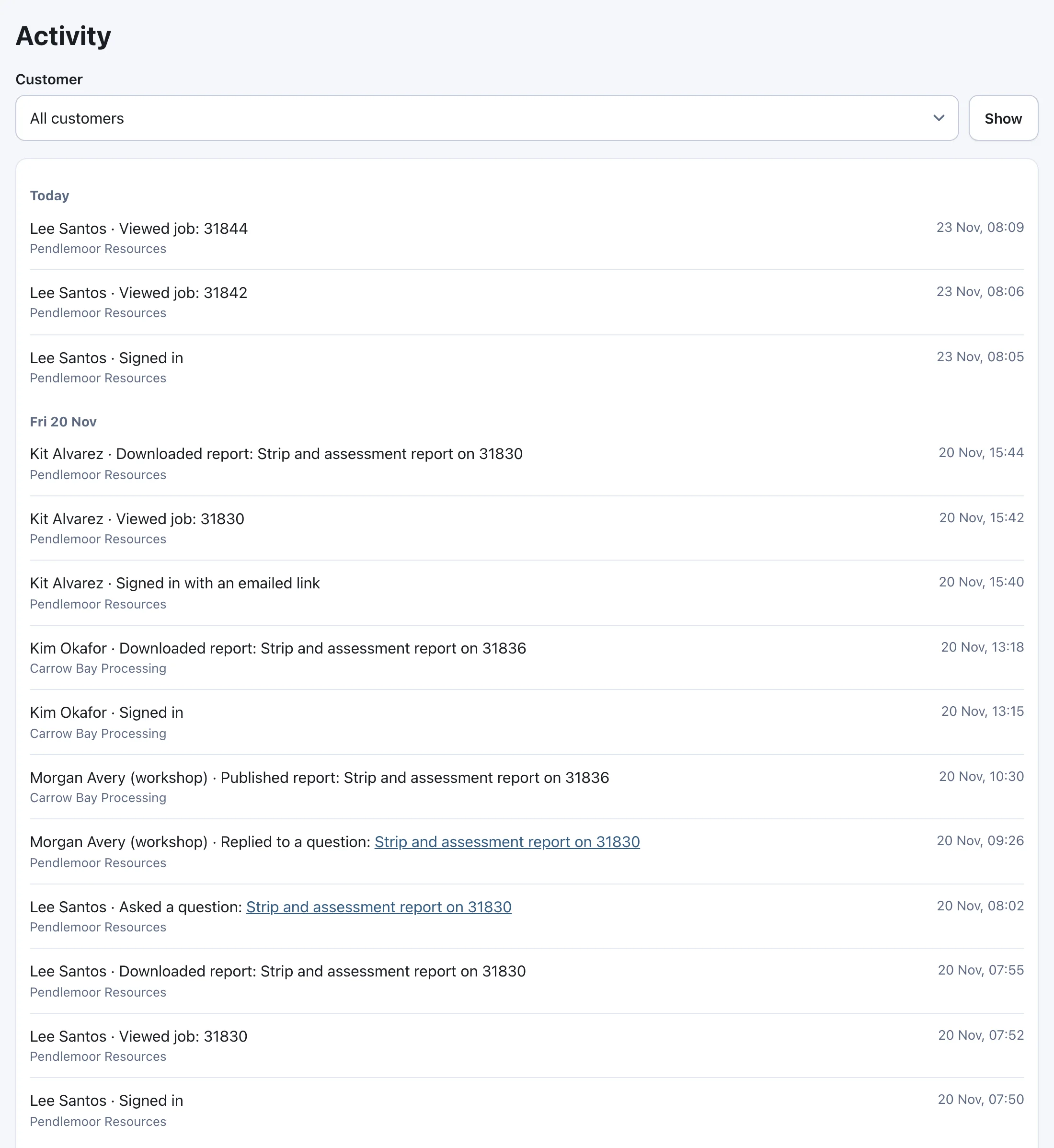
Stratum Track logs every sign-in, view and download, so you know who opened a report and when. If a report changes after you publish it, Stratum Track tells your managers.


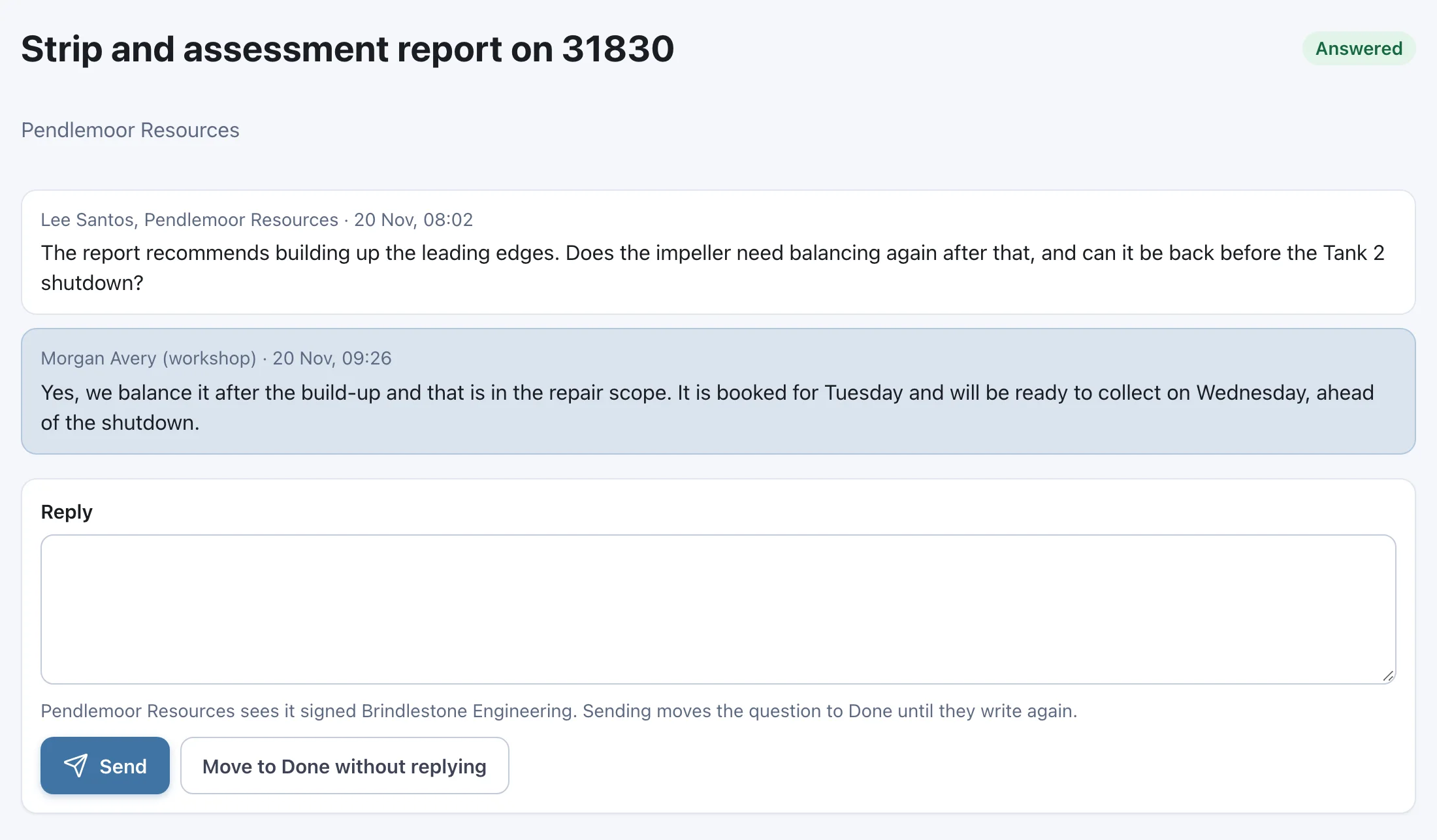
Your client can ask a question on a job or a report. Your manager answers it in Stratum Track, and your client sees the answer under the question.

Your client's site crew can mark a published asset installed or removed, or report an issue with it, and you see it on the asset's record.
No. They sign in from a browser on your portal page.
No. Each account belongs to one client and sees only what you published to that client.
Tell us which client you would start with. We reply within one business day, then we switch the portal on for your company and set up that client with you.
Stratum Track is built and supported from Perth. When you call (08) 6370 4958, the person who answers is the person who can fix the problem.