Stratum Track AI

AI form filling, with a full audit trail.

For workshops and inspection teams, Stratum Track reads the paperwork that comes with a job, turns a spoken answer into English text, and changes a form when you ask. Nothing the AI reads is saved until one of your people accepts it.

Send us one report you issue today. We build it into a working job in Stratum Track and send it back within 24 hours, at no cost to you.
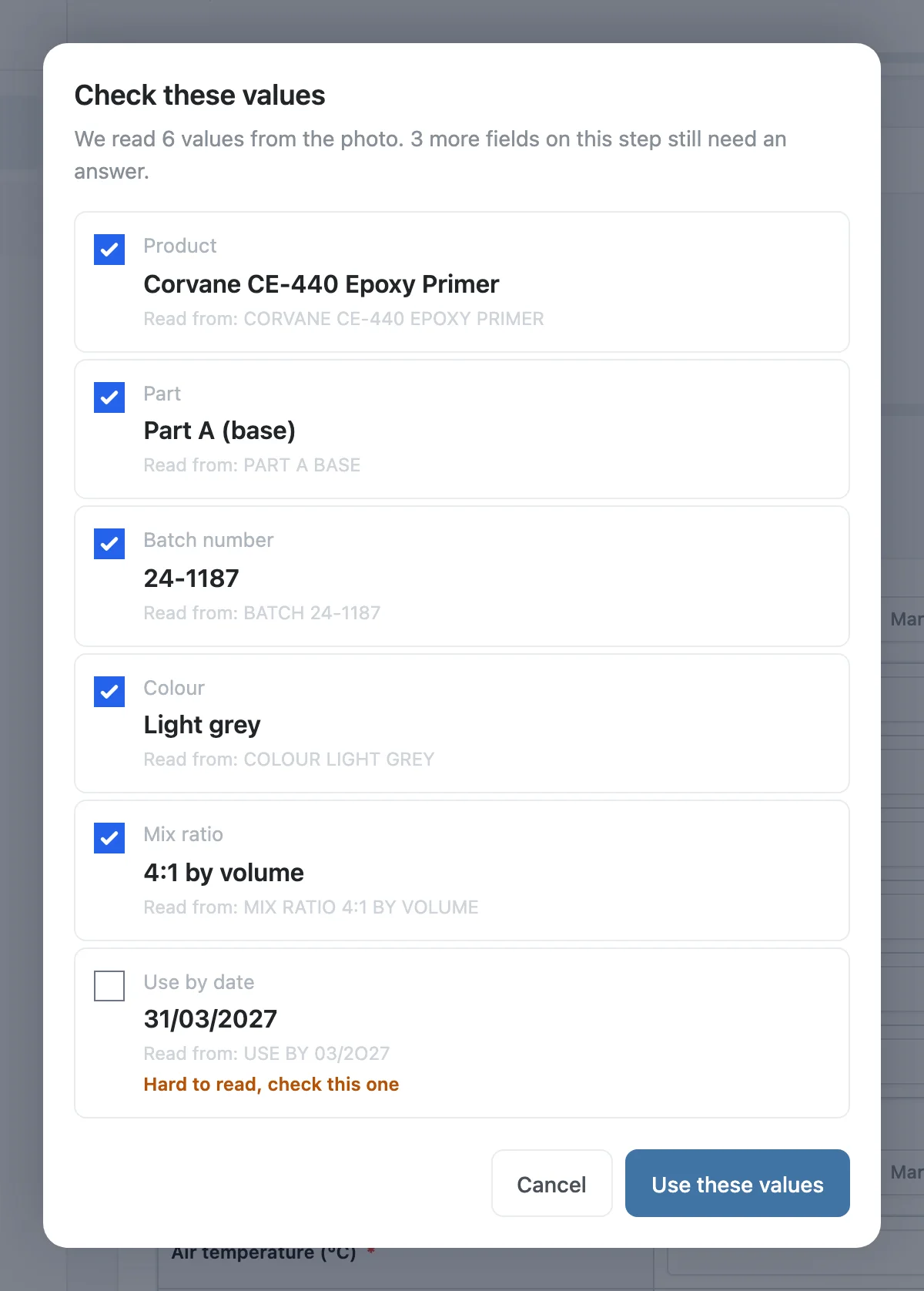
Check these values: six values read from a photo of a paint tin label, five ticked and the use by date marked Hard to read, check this one.
Check these values

A person accepts what the AI fills in

Stratum Track saves a result only when one of your people enters it or accepts it.

01

Jobs and answers from the paperwork

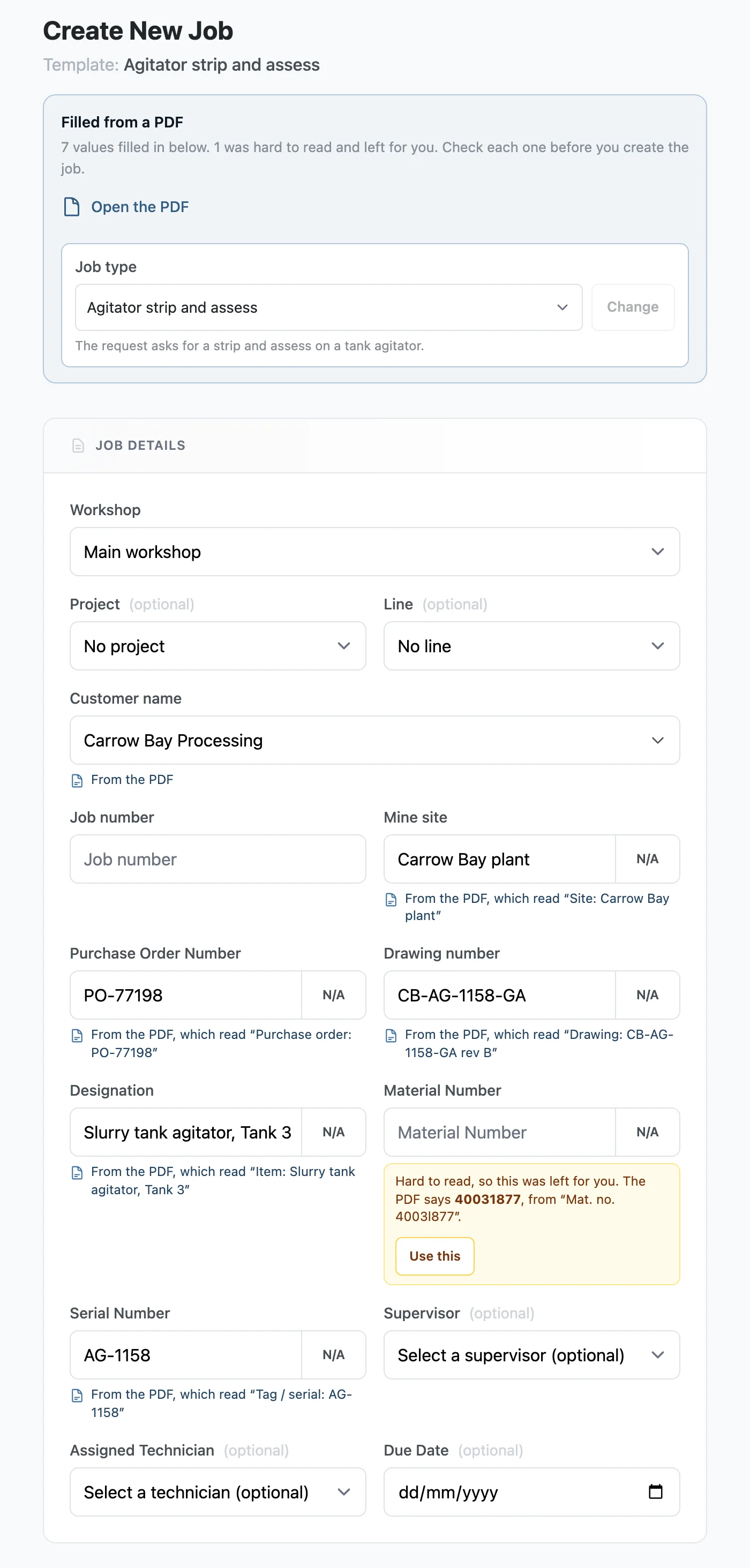
Stratum Track reads the docket or the work request your client sent, picks the job template, and opens a new job filled in for you to check. The PDF stays on the job. On a step, it reads a delivery note, a paint tin, a weld spool tag or a handwritten sheet and suggests values for the empty fields. Your technician accepts each one, and you can open the photo any value was read from.

Create New Job filled from a customer's PDF work request: seven details filled in with where each was read, one hard-to-read number left with Use this.
02

Voice answers in any language

Your technician speaks an answer in any language, and Stratum Track writes it in English. The answer goes in the field only when the technician accepts it. A manager can read what was said in the answer's history. Voice answers need signal, and you choose which workshops use them.

03

A job template drafted from your report

Stratum Track drafts a job template from a report you upload or a description you type. You review the draft and decide when your team starts using it. We use AI the same way to draft the first job from the report you send us.

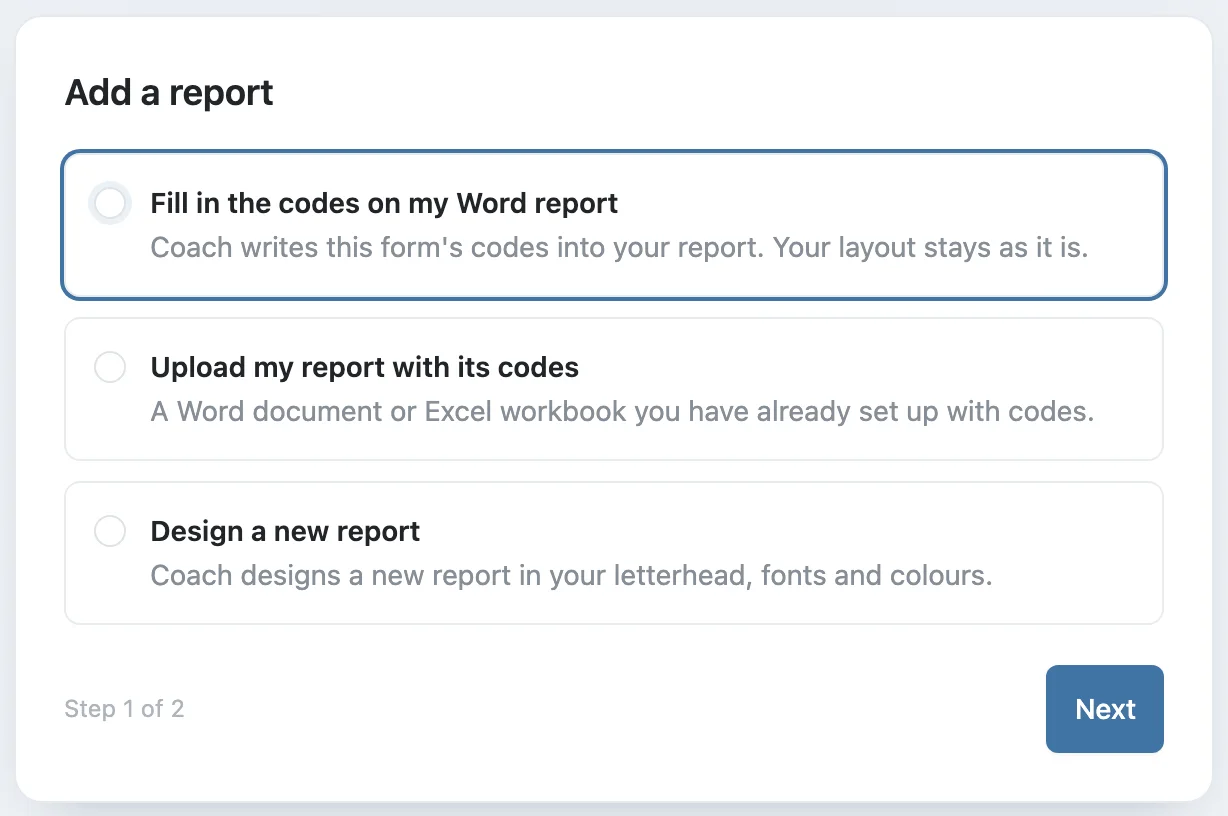
The Reports page shows how Stratum Track fills in your own Word or Excel report.

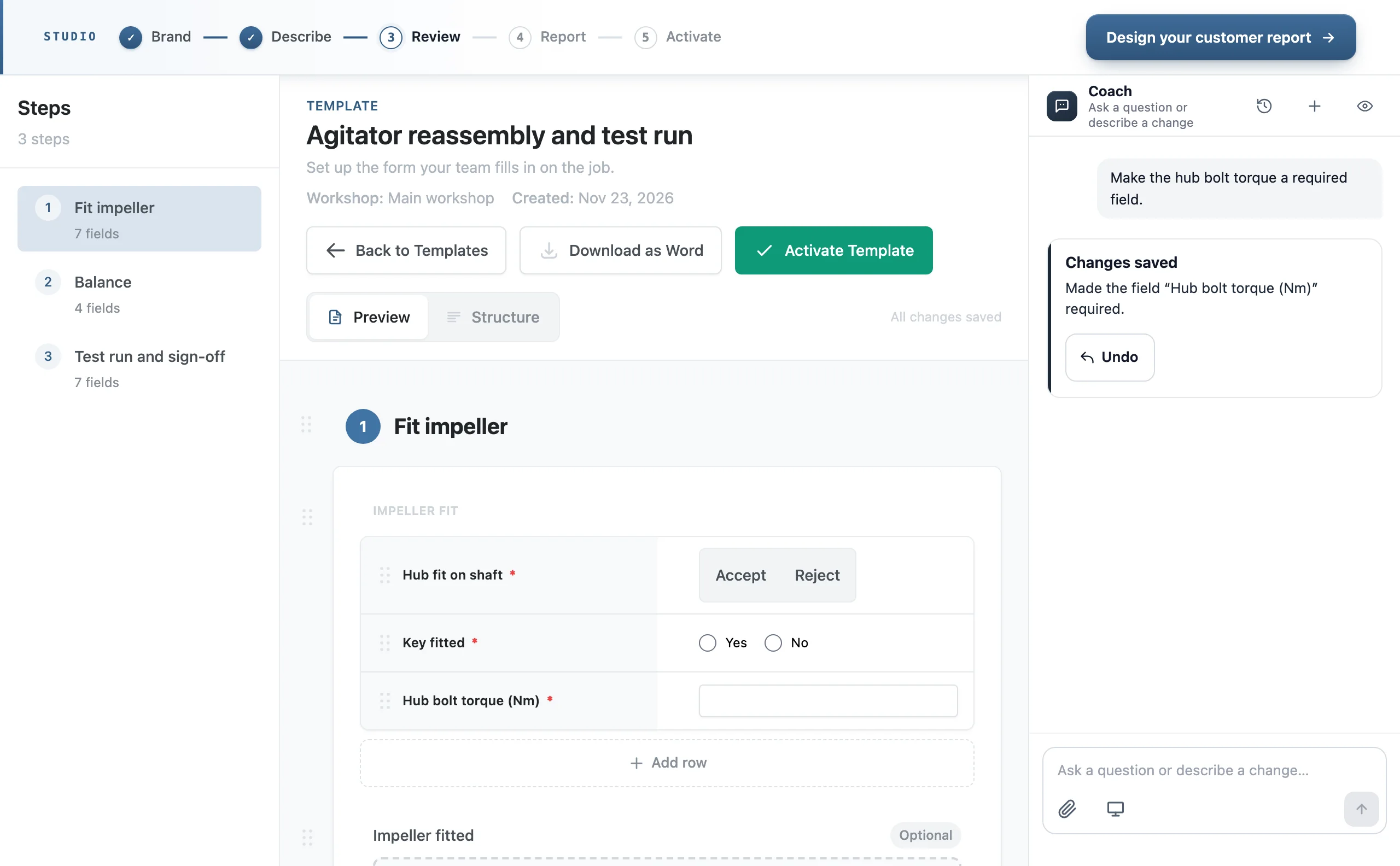
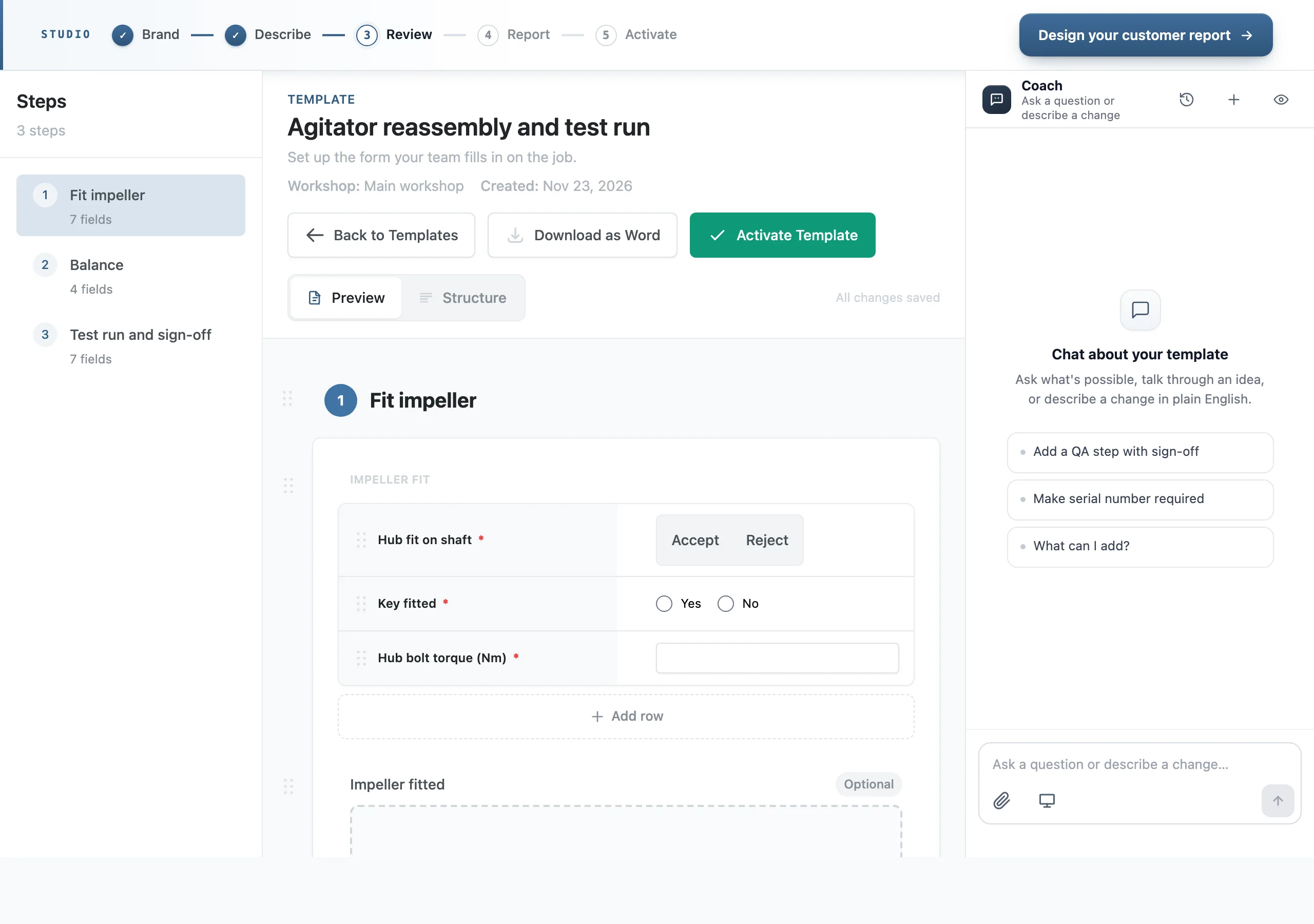
A job template in review in Studio: the steps on the left, a preview of step 1, and the button to start using it.
Add a report: Fill in the codes on my Word report, Upload my report with its codes, or Design a new report.
04

Changes to a form in plain words

You ask for a change the way you would say it, such as making a field required or moving a step, and Stratum Track makes it and shows you each change with a way to undo it. On a form your jobs already use, the change waits in a draft until you approve it.

Template Preview in Studio with the Coach rail: the manager asks to make hub bolt torque a required field, and a Changes saved card with Undo.
05

Help on every screen

Every manager can ask a question about the screen they are on, in their own words. If they need us, they send us the whole chat, so they don't explain it twice. Step-by-step guides cover common tasks, and some have a short video.

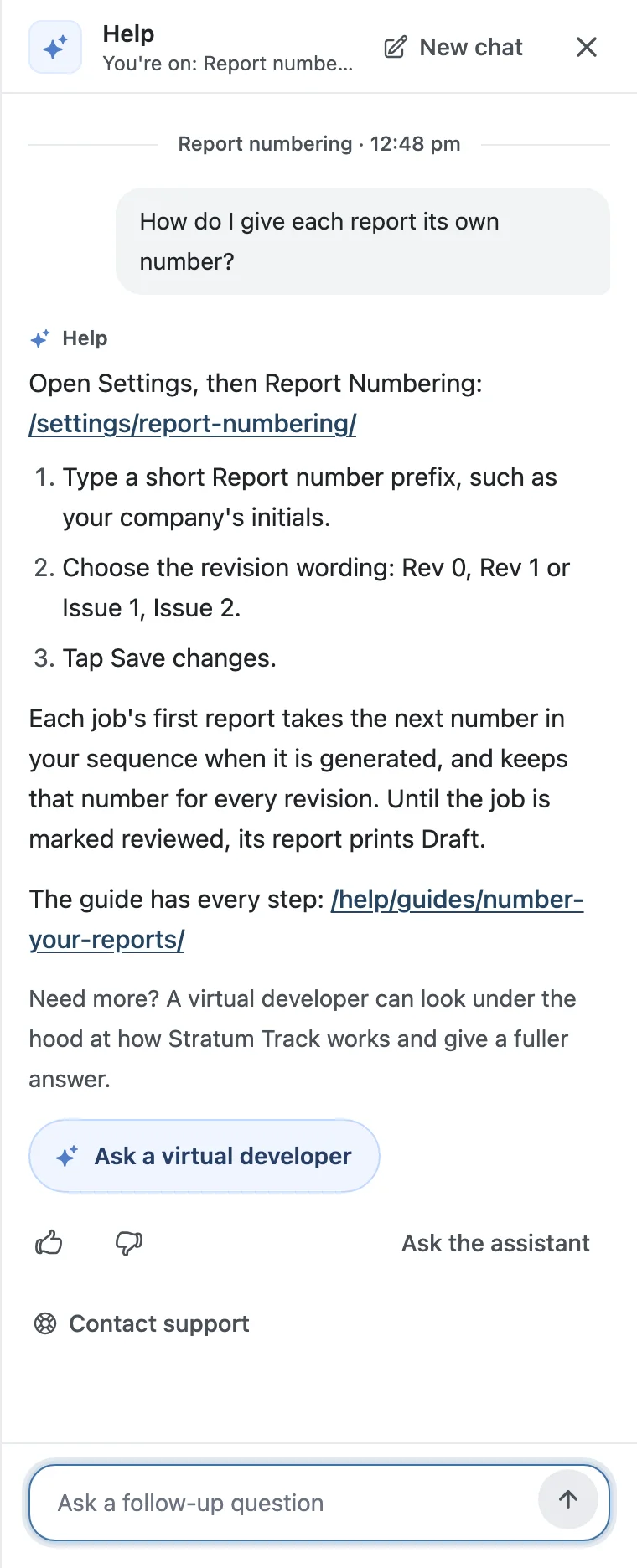
Help panel on Report Numbering: the question How do I give each report its own number, the answer in three steps with links to the setting and the guide, Ask a virtual developer and Contact support.

When you want them, we set up paperwork reading, template drafting and plain-word changes with you.

FAQ

Questions about AI in Stratum Track

Does AI sign hold points?

No. The person in the role you set, such as your supervisor, signs each hold point on the device.

Get started

Send us a report

Send us one report you issue today. We build it into a working job in Stratum Track and send it back within 24 hours, at no cost to you.
We build and support Stratum Track from Perth. Call us on (08) 6370 4958.

If your report has client details on it, redact them or send a blank template. The layout is all we need. If you would like us to sign an NDA first, say so in the message.

We use your report only to build your first job. We don't train models on it. How we handle your data. For files over 4 MB, email hello@stratumsoftware.io.

Stratum Track Stratum Track overview

Inspection, maintenance, a client portal, timesheets, projects and a schedule on one login.

See the Stratum Track overview →