Articles · 2026-08-25
How to let a technician add sections to a step
Some work does not have a fixed shape. One job has three test points, the next has eleven, and a form built for a fixed number is wrong for both. With Stratum Track you build the block once as a repeating group: a set of fields your technician adds copies of, as many as the job needs, each copy keeping its own answers.
This takes about five minutes.
What you need
- A manager login.
- A form with a step where the same handful of questions is asked more than once.
Step 1: Add the block
Go to Templates, open your form with Actions, then Review. The form opens on the Preview tab.
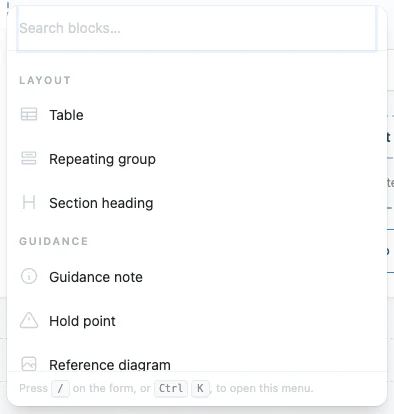
Press Add to this step, and under LAYOUT choose Repeating group.
Step 2: Name one copy
Name one copy, such as "Test point" rather than "Test points". Stratum Track puts that name on the button your technician presses, so it reads as an instruction: Add Test point.
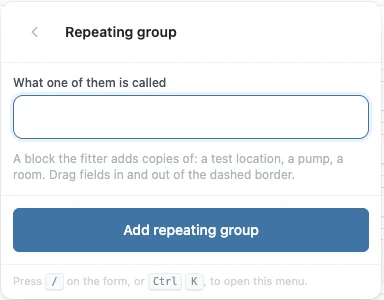
Press Add repeating group.
Step 3: Put the fields inside it
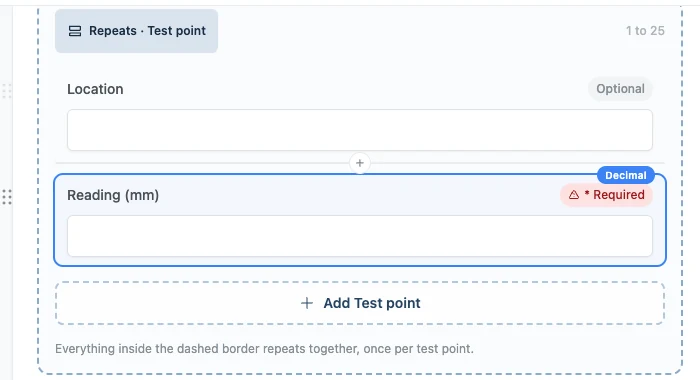
The group starts with one field in it, named after the group. Rename it to your first question.
The dashed border is the group. Add the rest of the fields to the step as you normally would, then drag each one across that border. Everything inside the border repeats together, once per copy; anything outside it is asked once for the step.
Step 4: Activate the change
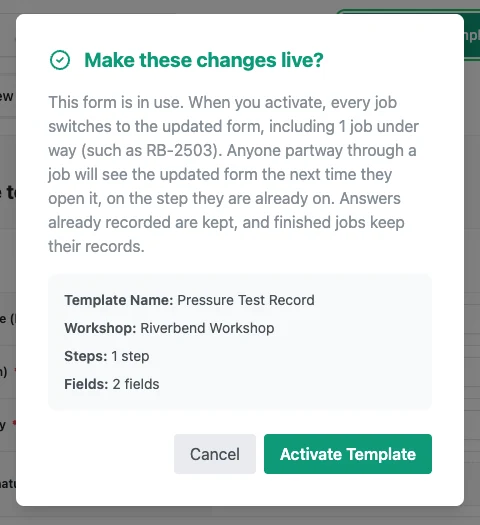
If the form is already in use by a job, Stratum Track holds your changes as a draft. Press Activate Template and confirm when you are ready for your team to have them.
Step 5: See it on the job
On the step your technician gets a card per copy, each opening to show its own answers. Add Test point makes another, and each card can be removed on its own. From the second copy on, the cards are numbered and collapse, so a long list stays readable.
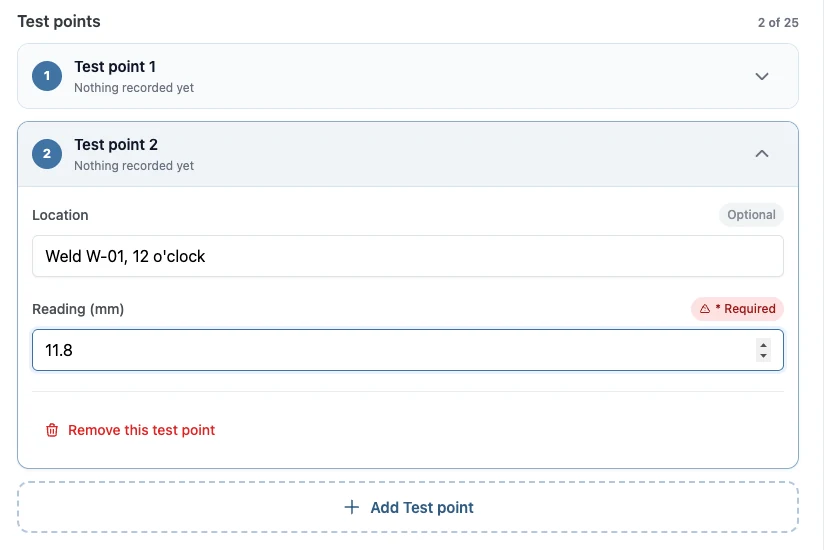
The count above the list shows how many copies have been added and the most the step will hold.
Worth knowing
- Each copy keeps its own answers. A required field is required on every copy.
- The name you chose is the button. "Test point" gives you Add Test point.
- A group holds up to 25 copies. Change it under Most in the group's own settings.
- A copy can be removed. The rest keep their answers and renumber.
- A card can be headed by one of its own answers. Nominate a field as the card label and each card reads "Weld W-01" instead of "Test point 2".
Common questions
How is this different from letting a table add rows?
A table's extra rows are one line each. The technician adds a row and fills in its cells. A repeating group is a block: several fields, a photo, a video, a signature, repeated together as a set, with each copy keeping its own answers. Use a table when each item is one line of readings, and a repeating group when each item needs its own photo, signature or set of questions.
Can my technician add copies once the job has started?
Yes. Your technician adds a copy for each item as they find it, on the job, with Add Test point under the list. Each new copy opens with its own empty fields, and a required field is required on every copy. A copy added by mistake can be removed on its own, and the rest keep their answers and renumber. The group holds up to the number you set under Most.
What if a job needs none of them?
Set Least to 0 in the group's own settings. A new group starts at 1, so every job opens the step with one copy ready to fill in, and the required fields in that copy count like any other answer on the step. With Least at 1, removing the last copy gives the technician a fresh, empty one.