Articles · 2026-08-25
How to colour-code your dropdown answers
An accept, a repair and a reject all look the same in a column of grey text. Stratum Track lets you give each option its own colour, so the answer reads at a glance on the tablet and the report you send the client can carry the same colour into the cell.
This takes about two minutes per dropdown.
What you need
- A manager login.
- A form with a dropdown field on it, such as a result or a condition rating.
Step 1: Open the form and find the field
Go to Templates, press Actions on your form, then Review. The form opens on the Preview tab. Press Structure at the top and scroll to the dropdown you want to colour.
Step 2: Give each option a colour
Under Option colours every option on your dropdown has its own row. Press a swatch to colour that option, or type a hex code if your client's colours matter.
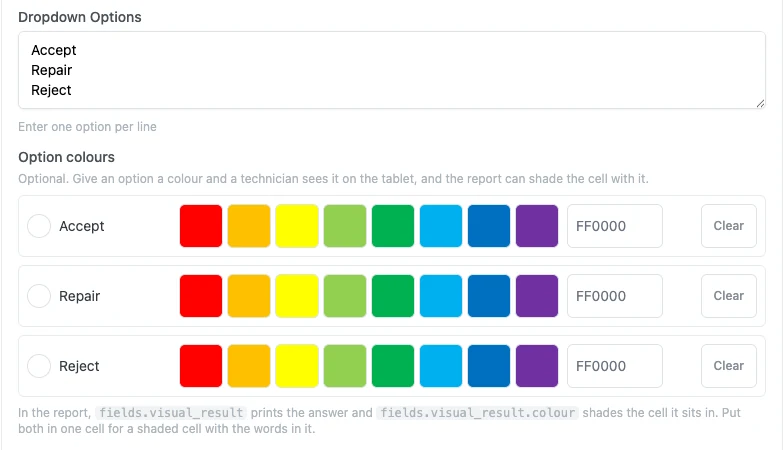
Press Save Changes when they are set. Clear on a row removes its colour.
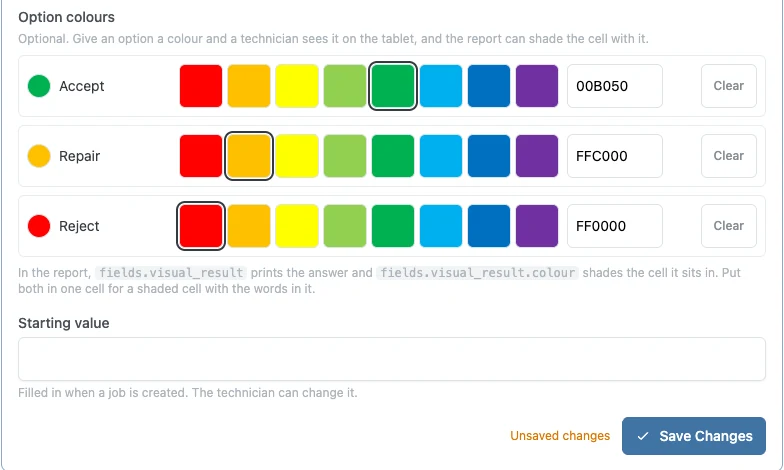
You can also set Option colours in the panel beside the form, by selecting the dropdown on the Preview tab. That panel's button is Save changes.
Step 3: See it on the job
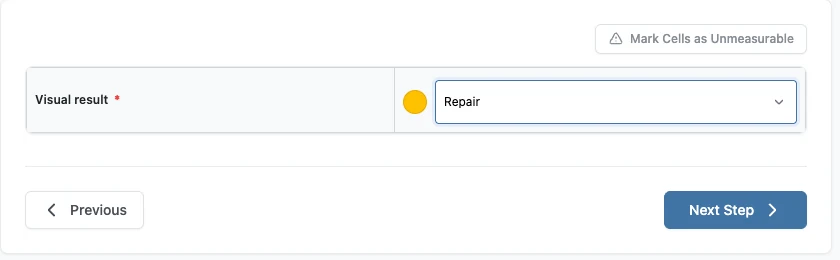
Open a job that uses the form and go to the step. The colour shows as a dot beside the answer as soon as your technician picks one. If you have set that field's Answer Style to Buttons instead of a dropdown list, the colour fills the button they pressed.
Putting the colour in the report
The editor tells you the two names your report document uses. For a field whose report name is fields.visual_result:
fields.visual_resultprints the answer as words.fields.visual_result.colourshades the table cell it sits in.
Put both in the one cell and the client's report has the words on the shaded background. Use only the second and the cell is a plain block of colour. Stratum Track shades table cells, so a colour name dropped into an ordinary paragraph does nothing.
Worth knowing
- A colour is optional, one option at a time. Colour the two that matter and leave the rest plain.
- Renaming an option loses its colour. The colour is held against the words, so change the words and set the colour again.
- It changes nothing your team has already recorded. Answers on jobs already run keep the words they were given.
Common questions
Where do the colours show up?
Beside the answer on the tablet, and in the client's report wherever you put the .colour name in your document.
Can I use my client's own colours?
Yes. Type the six-character hex code into the box on that option's row instead of pressing one of the swatches.
Does colouring an option change what gets recorded?
No. The answer is still the words in your dropdown. The colour is only how it is shown.