Articles · 2026-09-18
How to share steps between forms and update them in one place
Many forms open with the same steps: the unit as it arrived, the packaging, the rating plate. Each form carries its own copy of those steps, so a change to the receiving procedure means the same edit on every form, and a form that is missed keeps the old steps.
Stratum Track lets you build those steps once as a step template, insert them into any form, and change them in one place for every form that uses them.
Building one takes about ten minutes. Inserting it into a form takes under a minute.
What you need
- A manager login. Manage Templates is only shown to managers.
- A computer. The template editor is built for a desktop screen.
- Steps that more than one form asks for, such as a receiving inspection or a final sign-off.
The example below is a Receiving inspection step template with two steps, inserted at the start of four gearbox forms.
Step 1: Create the step template
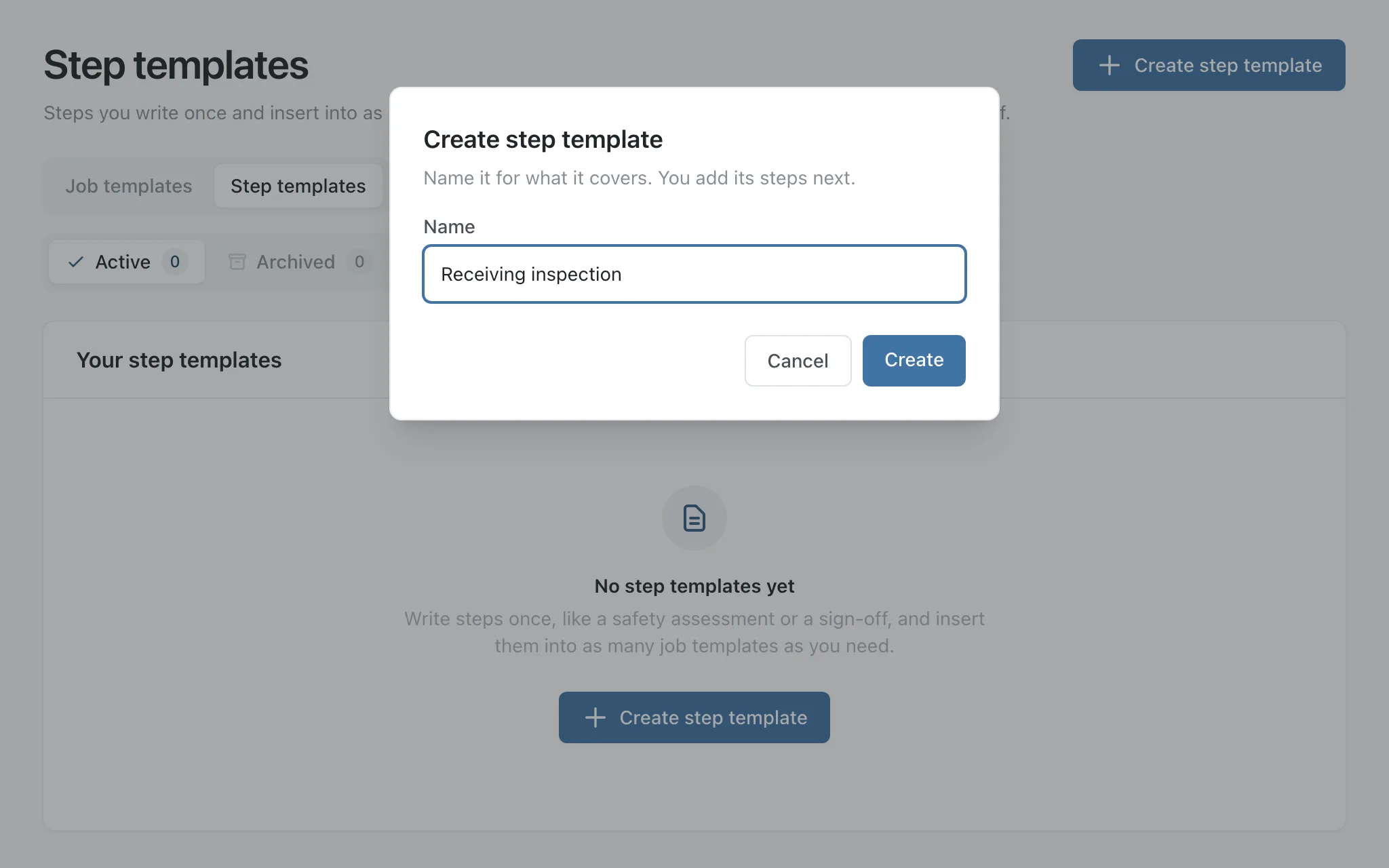
Go to Manage Templates and open the Step templates tab. Press Create step template, type a Name, and press Create. If you manage more than one workshop, choose the Workshop as well. Name it for what it covers, and keep it short, because the name is also the start of each answer's report name on your forms.
Step 2: Add its steps
Stratum Track opens the step template in the same Preview editor you use for a form. Press Add step, type the Step title, and press Add step again.
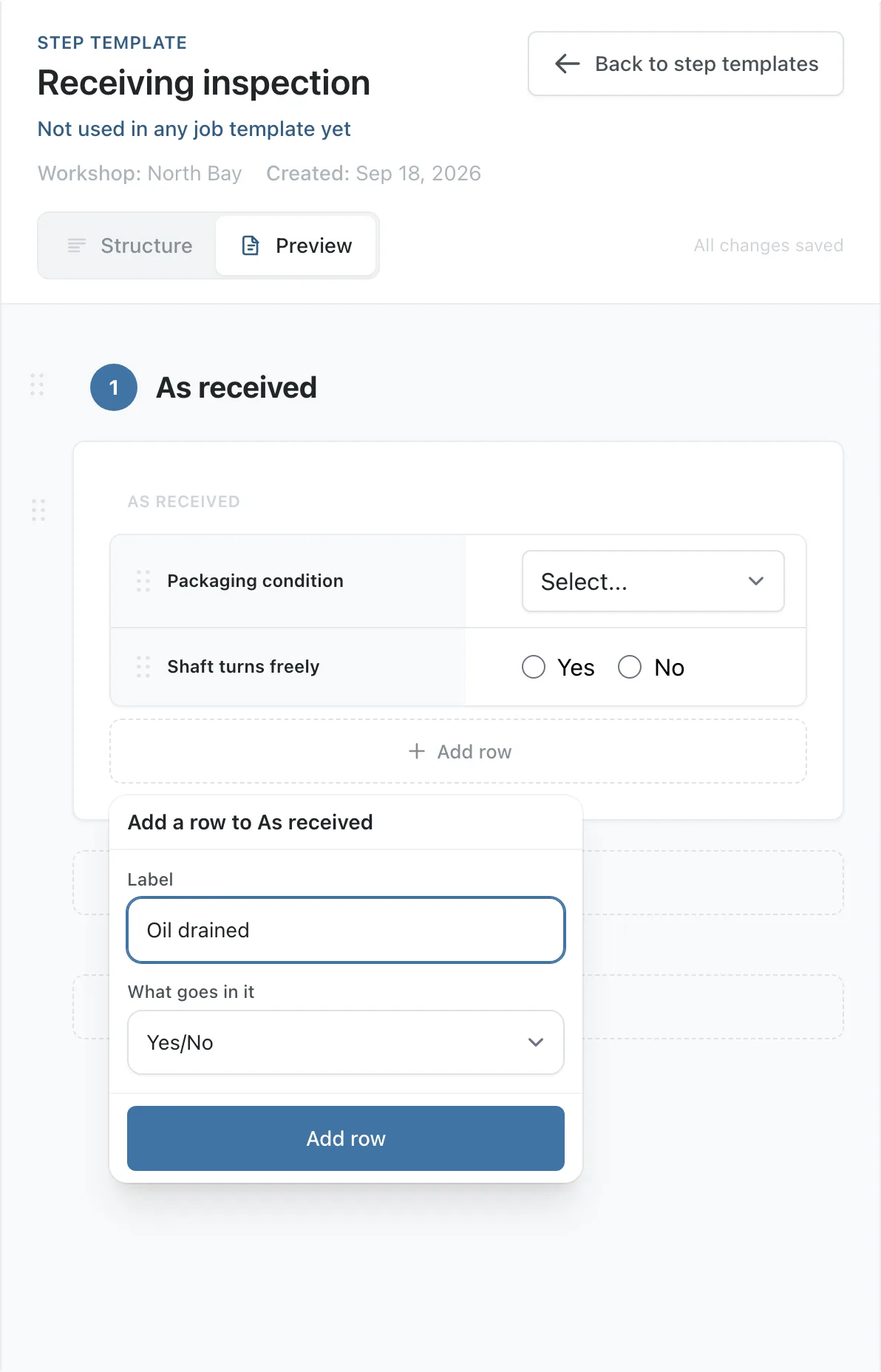
Group the questions in the step into a table, so the step reads as a tidy list of labels and answers rather than a column of full-width boxes. Press Add to this step, choose Table, name it, leave Shape on Rows, and press Add table. Each question is then a row: press Add row, type its Label, choose What goes in it, and press Add row.
A photo, a long note or a signature reads better on its own, so add those to the step with Add to this step. Tables, repeating sections, hold points, photos, calculations and visibility rules all work on every form that uses it, and a Starting value set here appears on every new job on those forms.
A step template cannot hold another step template. Until a form uses it, every change saves straight away.
Step 3: Insert it into a form
Open the form's Preview tab and move the pointer over the gap above the step where the new steps should go. Once a step template has at least one step, the gap splits into Add step and Insert step template. Press Insert step template, then pick the step template from the list. Stratum Track inserts all of its steps at that point.
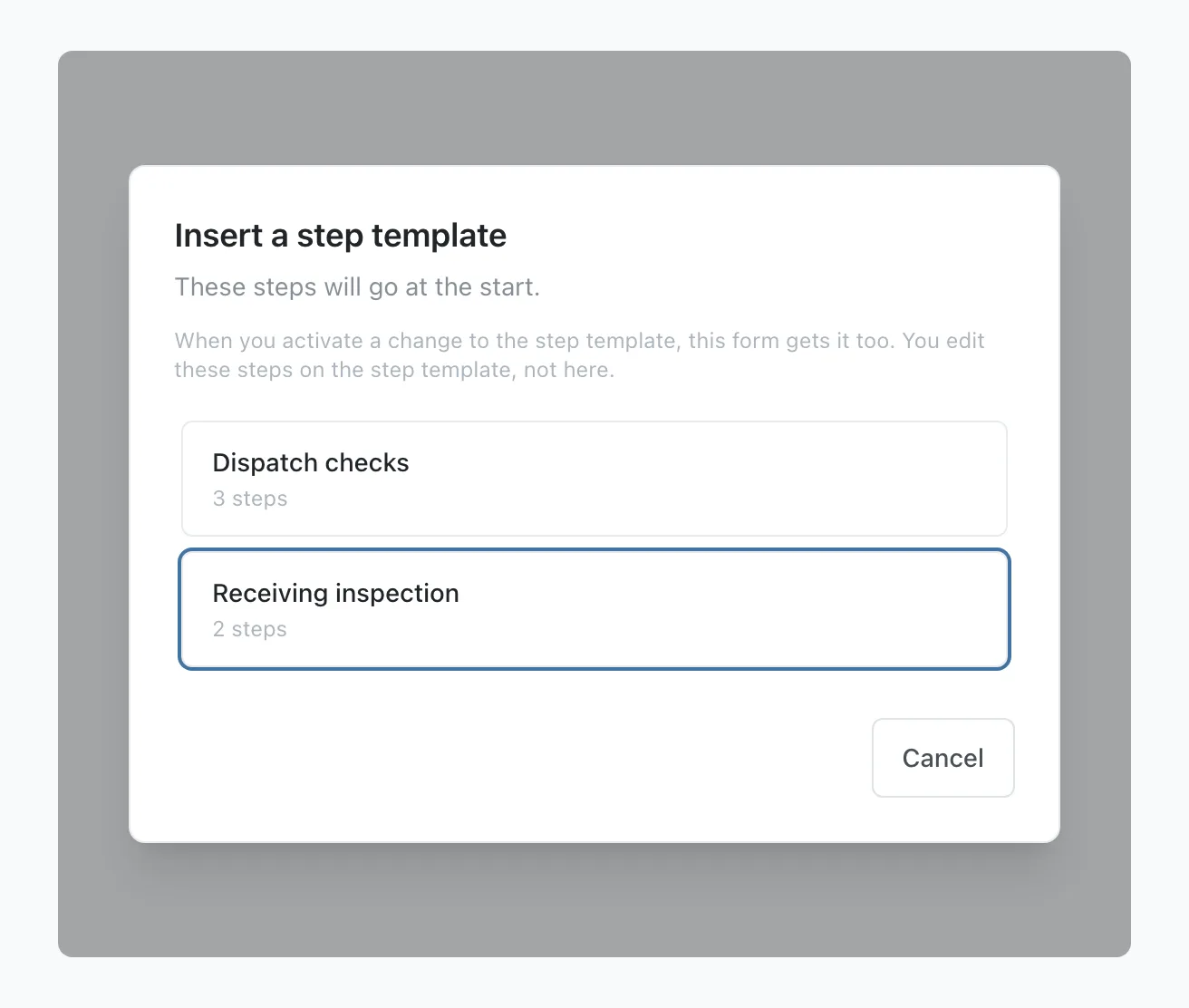
You can insert it at the start of the form or before any step. On a form that already has jobs, Stratum Track adds the steps to the form's draft, and those jobs get them when you press Activate Template.
Step 4: Check the steps on the form
Each copied step shows a From Receiving inspection · edit it there link under its heading, which opens the step template.
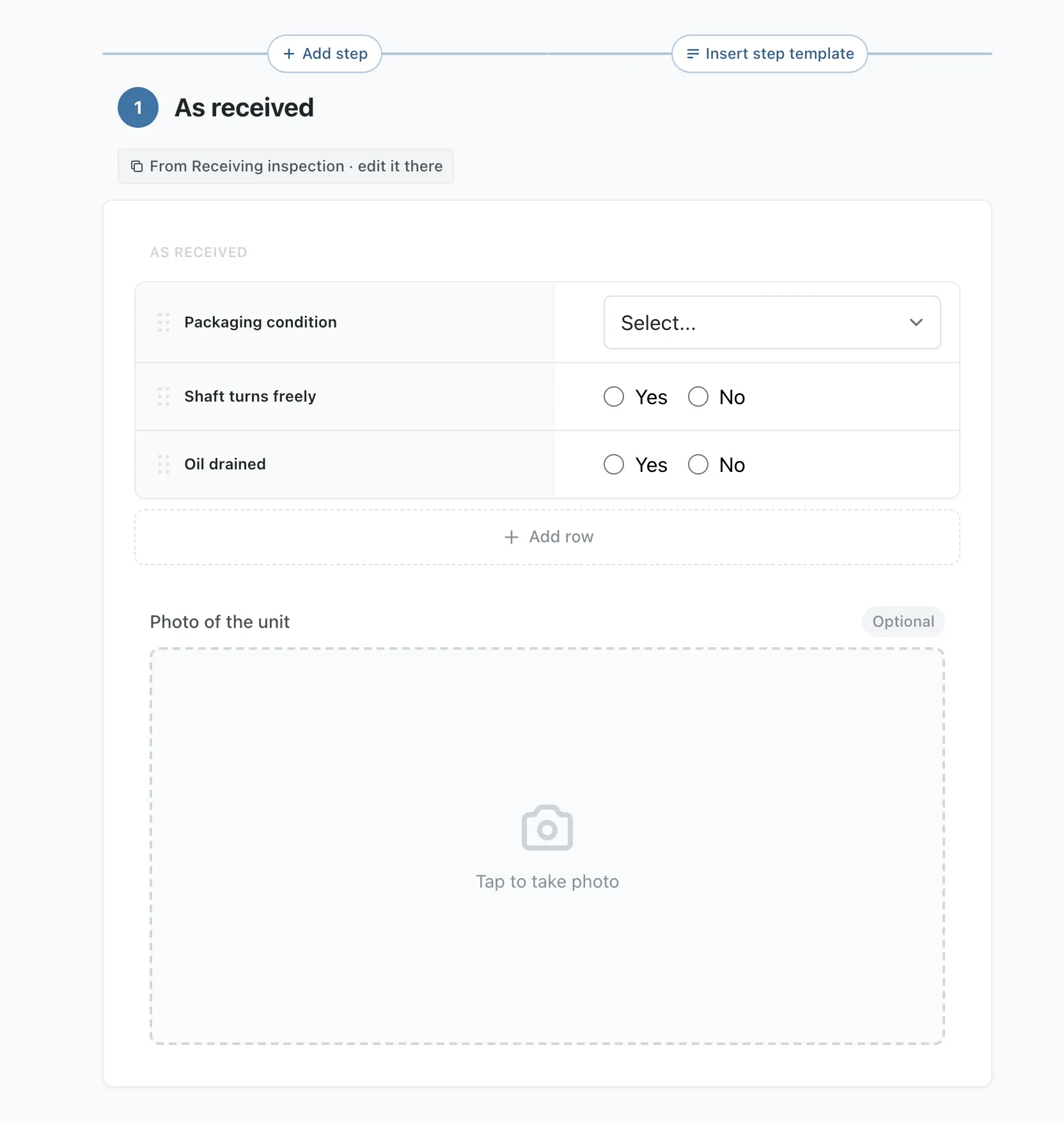
Select a copied field and the settings panel names the step template it belongs to. Its settings are hidden, apart from its report name, which you can copy but not change. You change the field on the step template.
Stratum Track gives each copied answer a report name on that form that starts with the step template's name, such as receiving_inspection.oil_drained. The form's Field Reference page lists them, so you can add them to that form's report document.
Step 5: Change it once
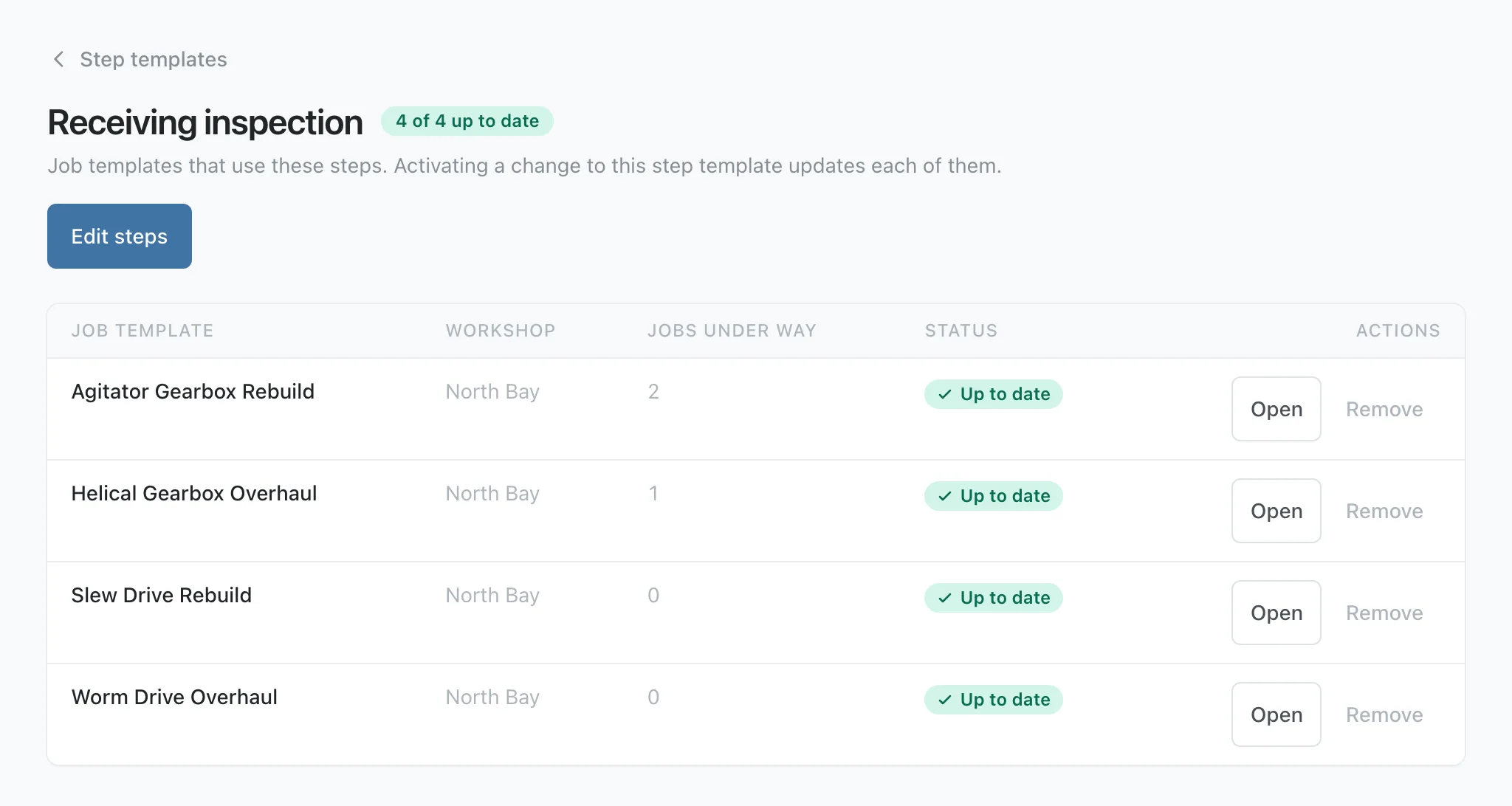
On the Step templates tab, press Used in 4 job templates under the step template's name. The page that opens lists every form using it and the jobs under way on each. Press Edit steps, make your change, and press Activate Template.
Before anything changes, Stratum Track asks Make these changes live? It names up to three of the forms it will update, how many more there are, and how many jobs are still open on them.
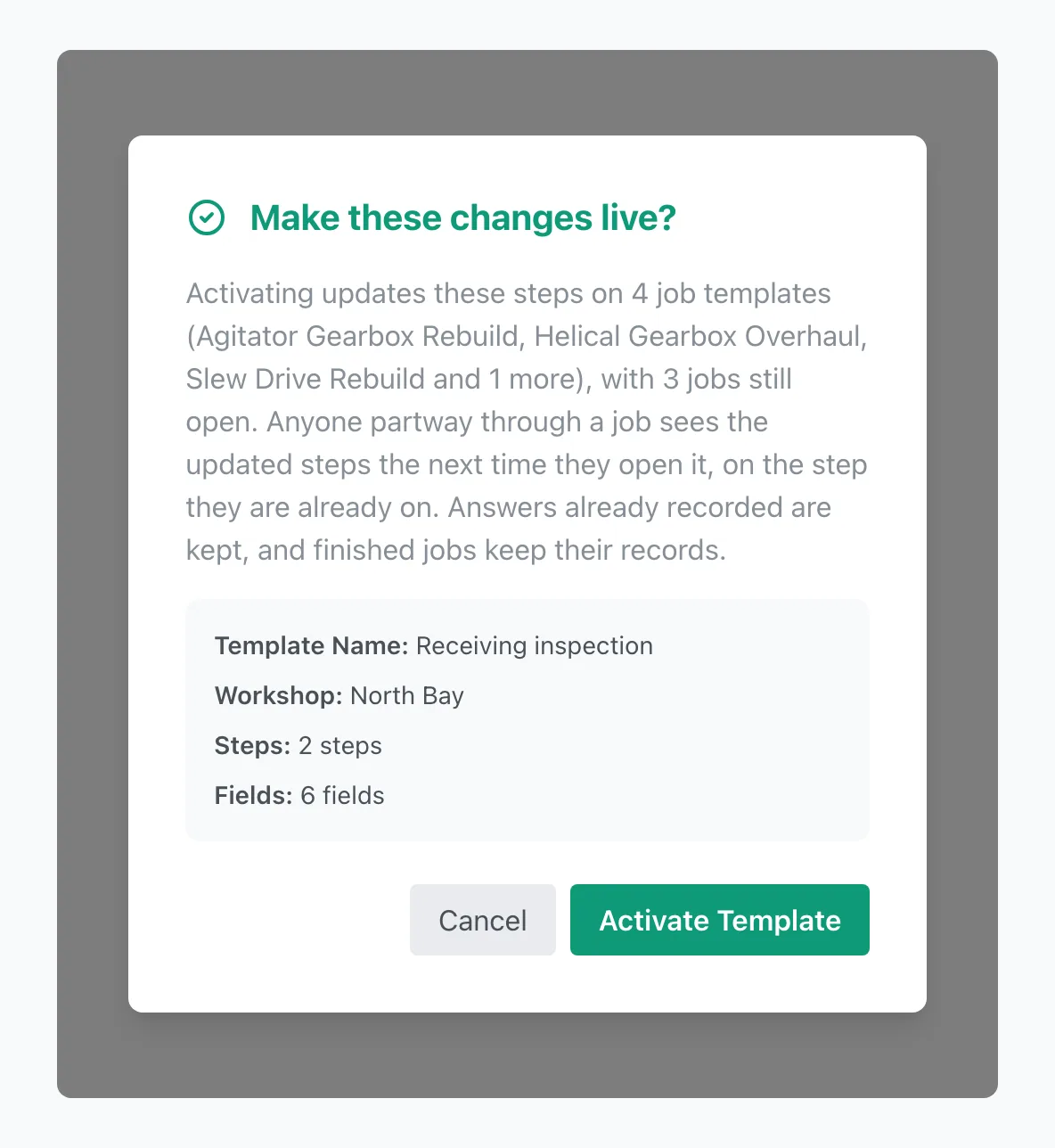
Press Activate Template to confirm. Stratum Track updates every form at once and confirms Step template activated. 4 job templates updated. Anyone partway through a job sees the updated steps the next time they open it, and answers already recorded are kept.
Worth knowing
- You can remove it from a form. Select a copied step's heading, press Remove step template, and confirm. On a form with jobs, the removal waits until you press Activate Template. Answers already recorded stay on file.
- Replacing a form's Word document can remove the steps. Merge and Full Reprocess remove the copied steps from the form, and Replace DOCX Only keeps them. You can insert the step template again afterwards.
- A step template in use cannot be archived. Remove it from each form first, then archive it.
Common questions
What happens to jobs already under way when I change a step template?
They get the change. When you activate, Stratum Track updates the steps on every form using the step template, including forms with jobs open. A technician partway through a job sees the updated steps the next time they open it, and they keep their place. Answers already recorded are kept, and finished jobs keep their records. The Make these changes live? window tells you how many jobs are still open before you confirm.
Can I change a copied step on one form only?
Not in the form's editor. Stratum Track hides the settings of copied steps there. You change them on the step template, and every form using it is updated. If one form needs something different, give it a step of its own beside the copied ones, or remove the step template from that form and build its own steps there.
How do the copied steps print in my report?
A step template has no report of its own. Stratum Track gives the copied answers on each form report names starting with the step template's name, and those names stay the same even if you rename the step template later. Open the form's Field Reference page to see them, then add them to that form's Word report document the same way as any other field.
Do I need to ask you to switch this on?
No. The Step templates tab is in Manage Templates for every company, and any manager can build one today. If you would rather we did it with you, send us the forms that share the same steps. We will build the step template, insert it into your forms and hand them back for you to approve.