Articles · 2026-10-13
How to record an inspection where there is no signal
Your technician is stripping a gearbox in a pump station an hour past the last phone tower. The job form is on a tablet that cannot load it, so the readings go on a printed sheet and the photos go on a phone.
Two days later the sheet is back at the workshop. Somebody types the readings into the job and matches forty photos to the steps they belong to. One figure on the sheet could be a 3 or an 8, so the technician is asked and answers from memory. The report reaches the client three days after the work was done.
What it costs
Every job done out of range is written down on site and typed in again at the workshop. The report is sent days late, and the invoice with it. Some of the readings typed in cannot be checked.
What good looks like
The technician fills in the same form whether the tablet has signal or not. Answers and photos stay on the tablet until it is back in range and then send without anyone pressing a button. The tablet shows what it is holding and what needs signal, and you choose who works this way.
How Stratum Track does it
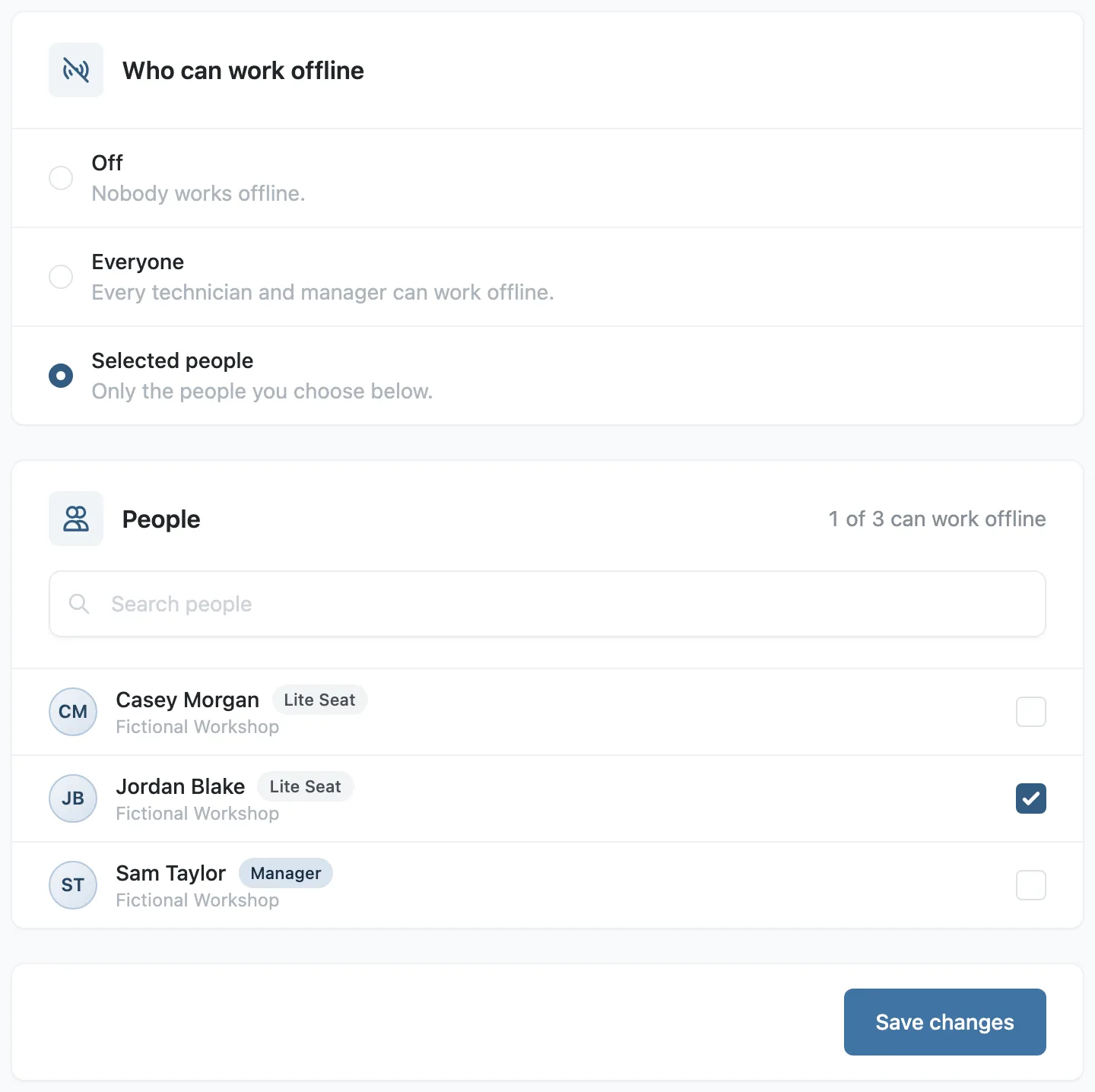
Offline working is off for every company until a manager switches it on under Settings, Offline Access, for everyone or for the people they choose.
Stratum Track keeps a job on the tablet when your technician opens one of its steps with signal. The step bar reads Ready offline once the job is there.
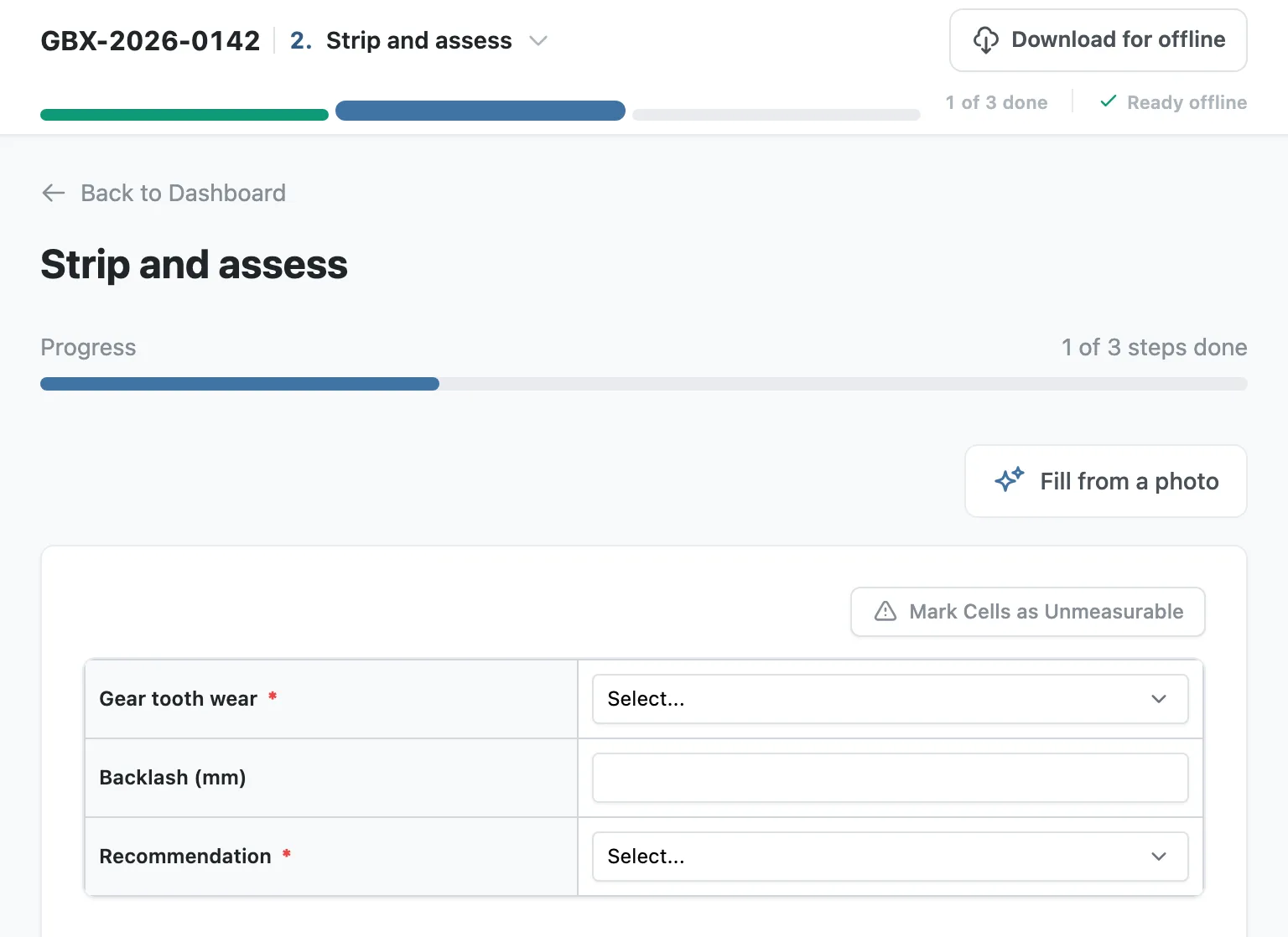
With no signal they keep working. They type answers, take photos, caption them and mark defects on them, move between the steps of the job, finish a step and press Complete Job. The step bar counts what the tablet is holding.
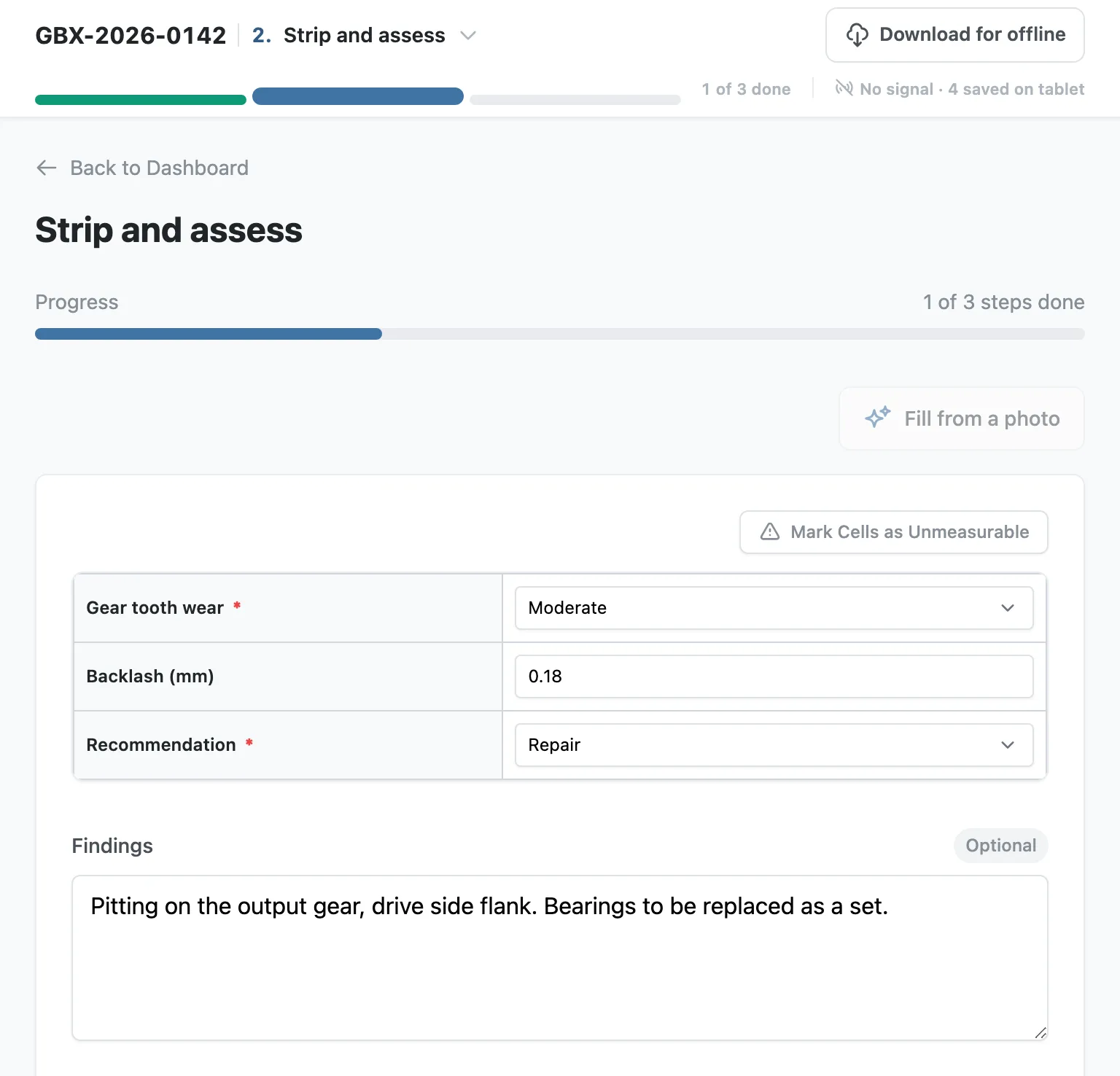
When signal returns, Stratum Track sends the work by itself and the bar reads All sent. A job finished with no signal completes when signal returns, after the same checks Complete Job makes with signal.

Some controls need signal, and each one says so when it is tapped: choosing from a lookup table, a drive-up table or the Equipment Register, filling a step from a photo, adding or removing a row, adding a copy or an item, recording a video and updating the asset register. Reports, creating a job and signing in need signal as well.
On the job's Activity page, a change that arrived more than a minute after it was made reads recorded offline at, with the time it was made on the tablet.
Setting it up
Step 1: Choose who can work offline
A manager opens Settings, then Offline Access. Choose Everyone, or choose Selected people and tick each person, then press Save changes. View Only users cannot be switched on.
Step 2: Open Stratum Track with signal
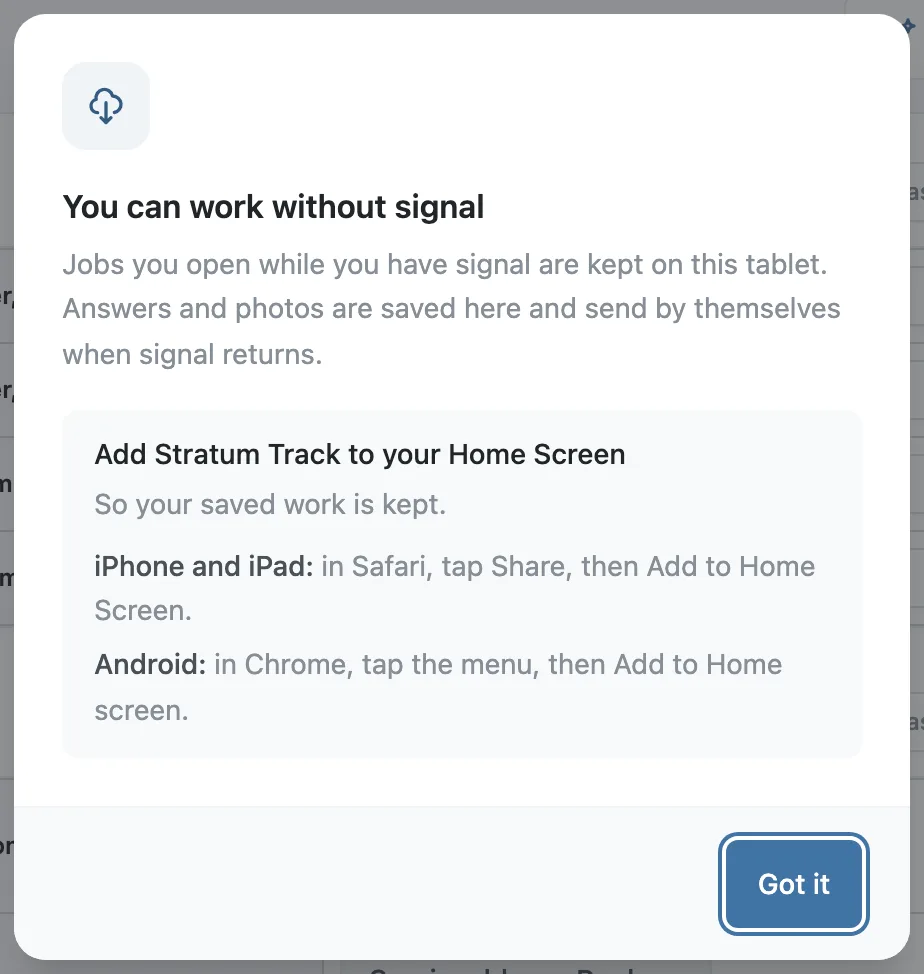
The first time a person opens a step on a tablet, Stratum Track tells them they can work without signal. The same message shows how to add Stratum Track to the tablet's Home Screen, so their saved work is kept.
Step 3: Open a step of each job before leaving signal
Stratum Track downloads a job a moment after one of its steps is opened. Opening Job Details does not download it. The step bar shows the progress and then Ready offline. To check a job by hand, press Download for offline. It gives the number of steps and photos it will keep, and says when they are all on the tablet.
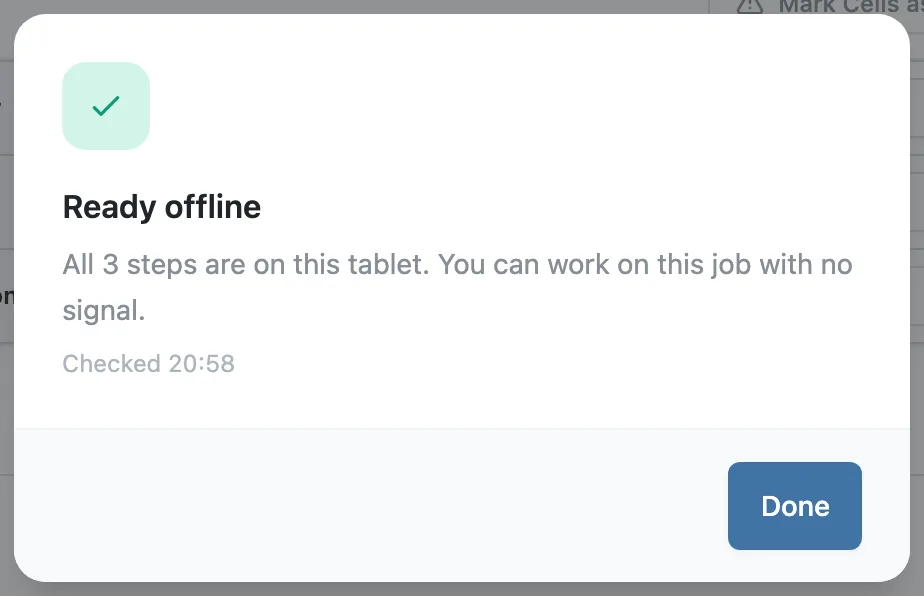
Step 4: Work with no signal
On site the technician works through the job as usual. If they open a step that is not on the tablet, Stratum Track says This step is not on this tablet. and offers Jobs on this tablet, which lists each kept job with the number of answers and photos waiting to send.
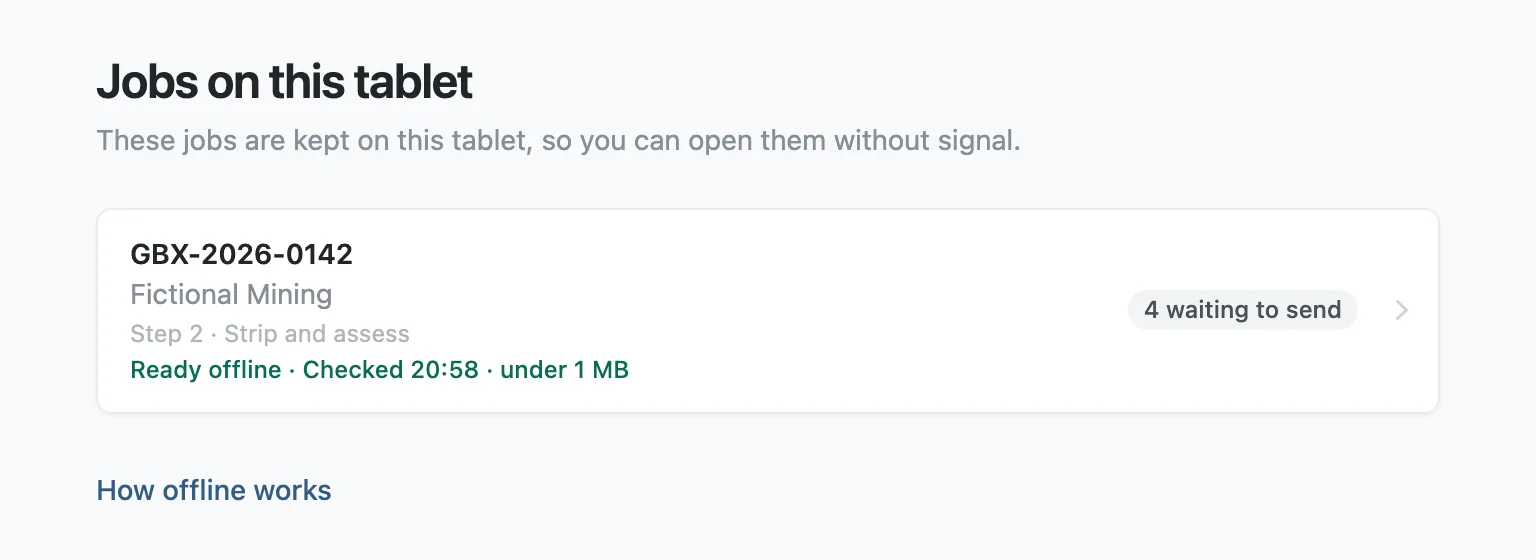
Back in range, the work sends by itself. If the technician was signed out in the meantime, Stratum Track asks them to sign in and then sends it.
Questions people ask
What does a technician have to do before leaving signal?
Open a step of each job they will need while the tablet still has signal, and wait for the step bar to read Ready offline. Stratum Track downloads the job by itself a moment after the step opens. Pressing Download for offline does the same by hand: it gives the number of steps and photos in the job and says when all of them are on the tablet. Add Stratum Track to the Home Screen once, so the saved work is kept.
What cannot be done with no signal?
Choosing from a lookup table, a drive-up table or the Equipment Register, filling a step from a photo, adding or removing a table row, adding a copy of a repeating group, adding an item to an inspection, recording a video and updating the asset register all need signal. Creating a job, generating a report and signing in need signal as well. Each control says so when it is tapped, for example Adding a row needs signal. A calculated field shows its number greyed until signal returns. An earlier photo that was not downloaded reads Photo not on this tablet.
What happens if two people change the same answer?
Suppose somebody at the office changes an answer while the tablet is out of range, and the tablet later sends a different value for it. Stratum Track keeps the office value on the job and files the tablet's value in the job's activity as Answer kept on file. The technician is told how many of their answers were changed by someone else.
What if the tablet is signed out before the work sends?
Stratum Track keeps unsent answers and photos on the tablet, whatever their age and whether or not the person signed out. It asks them to sign in. On an open step it reads Sign in to send your work, with the number of answers and photos waiting, and once they have signed in the work sends. The same applies to a person a manager later switches off under Offline Access: anything still waiting on their tablet sends the next time they open Stratum Track with signal.
Does it work on any tablet?
It needs a browser that can keep pages on the tablet. One that cannot reads Not ready offline, with the message This tablet cannot keep this job. Work on it with signal. A first download needs free space of one and a half times the job's estimated size, and reads Not enough space if the tablet has less. A tablet keeps one person's jobs at a time.